Agentic Engineering: A Guide for Modern Teams
Agentic engineering empowers teams to build AI systems that act autonomously. Learn the core principles, practical use cases, and how to get started.
In this article
- The Moment Coding Stopped Being the Bottleneck
- What Agentic Engineering Actually Means
- The plain-English difference
- Why the word matters
- How an Agentic Workflow Fits Together
- The moving parts
- Why orchestration beats raw autonomy
- Dual-Agent Review and Human Checkpoints
- Single agent versus dual-agent flow
- Where people stay in the loop
- A Practical Roadmap for Your First 90 Days
- Days 1 to 30
- Days 31 to 60
- Days 61 to 90
- Metrics That Actually Tell You If It Is Working
- Where Agentic Engineering Is Heading Next
Your team shipped faster when the AI coding tools arrived. The part that stayed slow was everything around the code, reviews, product decisions, merge queues, and the back-and-forth over what the feature was supposed to do in the first place. That gap is where agentic engineering starts to matter. It treats software delivery as a workflow problem, not just a typing problem.
The Moment Coding Stopped Being the Bottleneck
The first sign is usually a messy board. Cards move quickly into implementation, then sit while someone waits on review, clarification, or a design decision. Engineers say the code is almost done, product says the intent is still fuzzy, and the pull request stays open.
That's the point where more code generation stops helping by itself. A coding agent can draft changes quickly, but it can't clear confusion about scope, ownership, or release risk. In practice, the slow part becomes coordination, not syntax.
Practical rule: if your AI tools help you start more work but don't help you finish more work, the bottleneck has moved from coding to orchestration.
A useful way to think about this is simple. The agent writes, but the team still has to decide, review, approve, and release. That means the unit of progress isn't a line of code, it's a finished change that passed the right checks and merged.
That's why the conversation has shifted from “Which model is smartest?” to “Which workflow ships cleanly?” The teams getting real value are not just comparing outputs, they're comparing merge time, rework, and how much human attention each card consumes.
What Agentic Engineering Actually Means
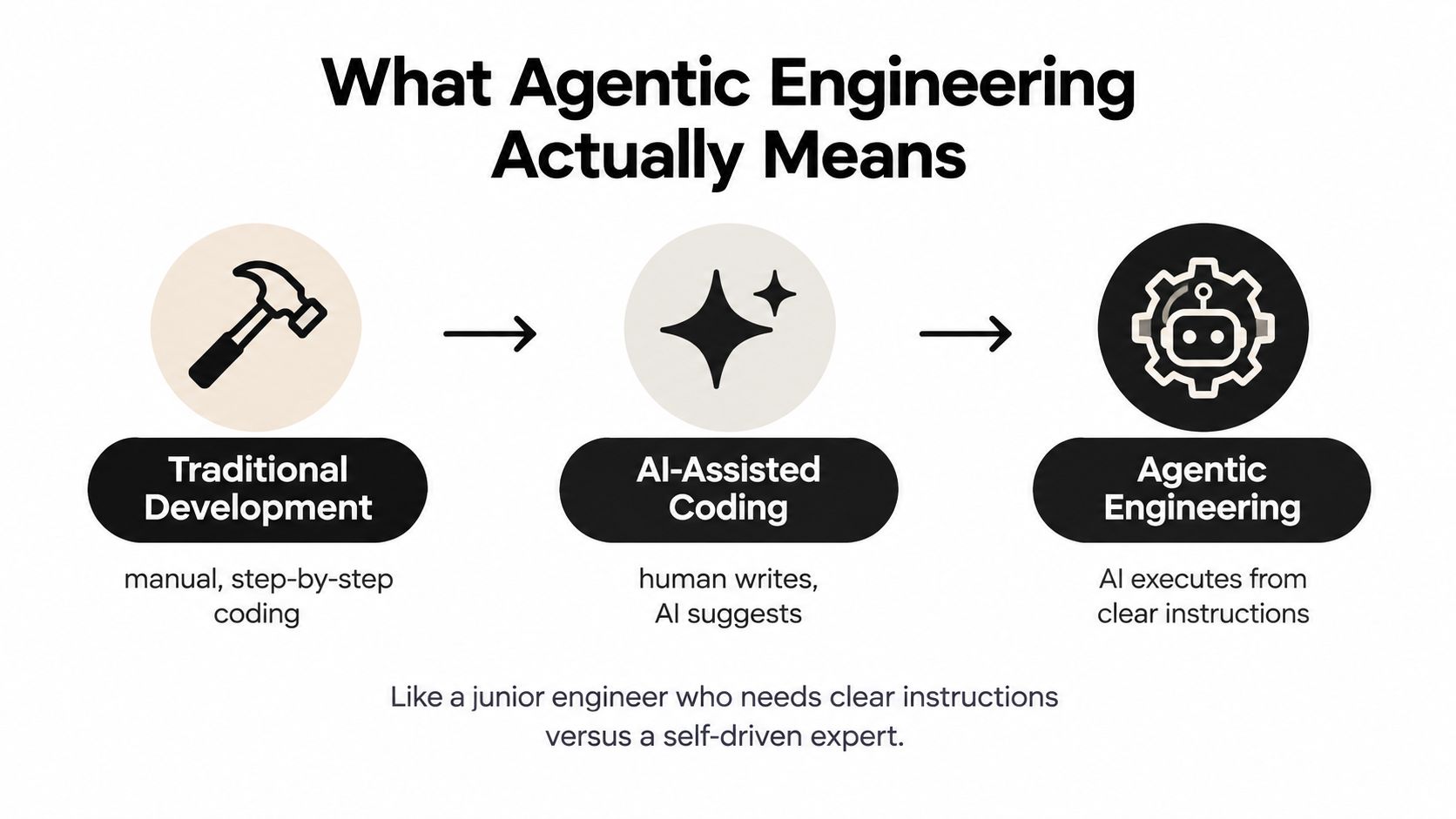
Agentic engineering is a way of building software where AI agents do more than suggest code. They can plan, execute, review, and iterate across the workflow, while people keep control of the important decisions. Think of it as moving from autocomplete to a teammate that can carry a well-defined task from draft to revision.
The plain-English difference
Traditional development depends on people doing almost everything by hand. AI-assisted coding adds suggestions, snippets, and faster drafting. Agentic engineering goes a step further, the agent can take a clear instruction, work through the task, and keep going until the result is ready for review.
That difference matters because coding speed alone doesn't equal delivery speed. A junior engineer needs close guidance. A stronger teammate can be given a feature brief, produce a first pass, respond to feedback, and fix issues without being micromanaged. Agentic systems aim for that second pattern.
Why the word matters
The label is useful because it separates disciplined delivery from casual code generation. It says the agent is doing real work, but the human still owns architecture, quality, and correctness. That balance is the whole point.
Agentic engineering is not “let the AI run wild.” It's “give the AI a bounded job, then hold it to the same delivery standards as a teammate.”
The clearest mental model is this. The agent handles repeatable implementation and revision. People handle product intent, system design, and the final call on what should ship. That split keeps the process fast without turning the codebase into a black box.
How an Agentic Workflow Fits Together
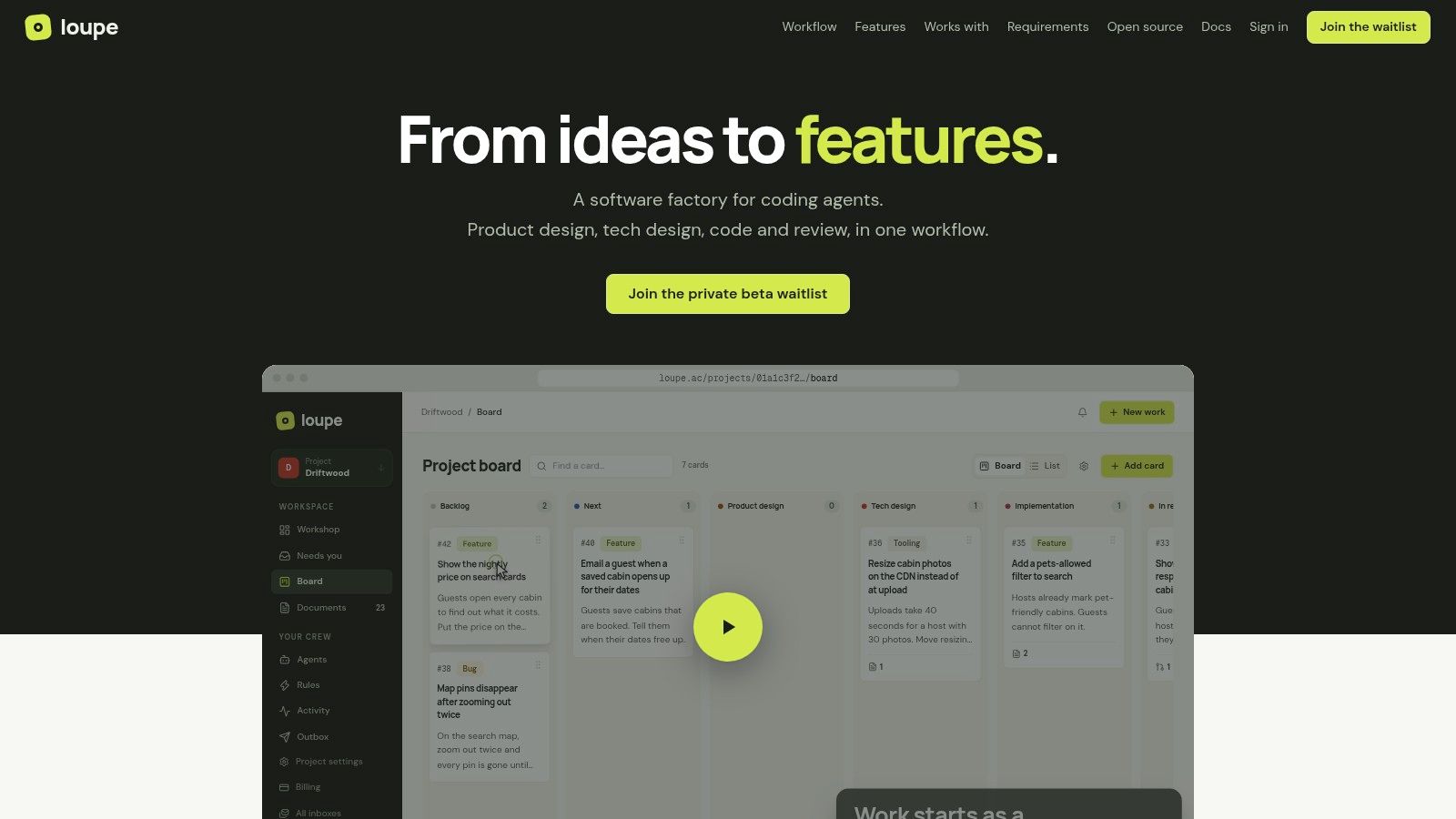
An agentic workflow works best when the board, the docs, and the checkpoints all line up. The card is not just a task label, it's the carrier for context, approval, and traceability. That matters because agent output is only useful when the next step has enough structure to judge it.
In a setup like Loupe's, a work item moves through defined stages on a board, with epics grouped separately and state visible at a glance. The card can point to product docs, technical design, and prototypes, so the agent is not guessing from a loose chat thread. The workflow rules then pause the card at human decision points, which keeps the system from racing past the moment where someone needs to make a judgment.
The moving parts
The board gives you the status. The documents give you the intent. The rules decide when the agent can move and when it has to stop. Without all three, the workflow becomes hard to audit and even harder to improve.
The practical benefit shows up in fewer lost handoffs. A reviewer doesn't have to dig through old messages to find the spec. The agent doesn't need to infer the latest direction from scattered comments. Everyone works from the same artifact.
Why orchestration beats raw autonomy
A stronger agent does not fix a broken process. If the product decision is unclear, the implementation will wander. If the review step is weak, the same issues keep coming back as fix rounds.
The board-based approach also makes it easier to see where work is stuck. Is it waiting on design? Is it in implementation? Is review overloaded? Those are different problems, and they need different answers.
The best workflows make the next action obvious for both people and agents.
Loupe also supports the kind of in-place review that keeps feedback tied to the work item instead of scattered across channels. That's important because the goal is not just to produce code, it's to preserve intent all the way to merge.
Dual-Agent Review and Human Checkpoints
A second agent reviewing the first one is not wasted effort. It's a control. The worker agent builds from the approved design, and the reviewer agent checks whether the result still matches that design before a person weighs in.
That extra layer matters because passing tests is not the same thing as being ready to merge. The review stage catches drift, missing details, and changes that technically work but no longer match the agreed shape of the feature. Humans still own architecture, security-sensitive changes, and UX calls.
Single agent versus dual-agent flow
With one agent, the same system that wrote the code also judges it. That can work for small tasks, but it's easy to miss drift when the author and reviewer are the same process. With two agents, the second pass is deliberately looking for mismatch against the approved plan.
The evidence behind that caution is clear in the research. Among 247 SWE-bench agent solutions with at least a 40% issue-resolution rate, 72% required manual intervention during code review and 89% failed production integration without modification Springer evaluation review. That gap says a lot. A patch can look good in isolation and still fall apart in a real delivery process.
Where people stay in the loop
The safest pattern is to make the human checkpoints explicit. Product design and architecture come first, then the agent builds, then a reviewer checks conformance, and finally a person decides whether the change is ready to move forward.
Keep people at the decision points that define the system, not at every routine edit.
That is especially true when the work touches security, migration safety, or broader product intent. The agent should help carry the feature through the process. It should not be allowed to redefine the feature on its own.
A Practical Roadmap for Your First 90 Days
Start small. Pick one feature area where the team already understands the problem well enough to judge whether the workflow is helping or hurting. A pilot works only if you can see the whole path from design to merge without guessing.
In the first month, keep the scope tight and observable. Use one board, one feature slice, and a clear approval path. If the card keeps bouncing around, that tells you the workflow needs better checkpoints before you widen the rollout. The goal is not to prove that agents can do everything, it's to see where they save time and where they create extra review.
Days 1 to 30
Set the approved design format first. Decide what the agent must read before it starts, who can approve the design, and what kinds of changes still need direct human sign-off. If the team can't describe that in plain language, the workflow is too loose.
Days 31 to 60
Add the review layer and watch for fix rounds. If reviewers keep making the same corrections, the issue is probably not the model, it's the instructions or the design artifacts. A platform like Loupe can help by keeping the card, the docs, and the review state in one place.
Days 61 to 90
Expand only after the merge path looks steady. Don't add more autonomy just because the team wants to move faster. Add it when the checkpoints are clear, the handoffs are clean, and the work items are closing without extra churn.
For a useful team reference, the Loupe team notes are a good place to see how practitioners talk about the workflow in real terms.
Metrics That Actually Tell You If It Is Working
If you track only code volume, you'll miss the story. A team can generate more code and still ship less cleanly. The useful signals are the ones that show whether the work item is moving to done.
| Workflow stage | Metric to watch | Healthy signal |
|---|---|---|
| Design approval | Time to approved spec | Clear decisions with few back-and-forth loops |
| Implementation | Cost per finished card | The card closes without heavy rework |
| Review | Reviewer intervention rate | Review stays focused, not corrective |
| Merge | Hours to merge | The change moves through without long stalls |
| Post-merge | Fix rounds | Few follow-up edits after release |
A high merge rate can hide a lot of pain if every merge needs several correction cycles first. That's why the metric needs to follow the work item across the whole path, not just stop at code generation. A cleaner dashboard tells you where the delay really lives.
Model comparison should happen under the same repository, instructions, tools, and approval gates. Otherwise you're comparing workflows, not agents. For a practical way to think about cost alongside delivery, the LLM cost comparison notes are useful because cost only matters when it's tied to a finished change.
Where Agentic Engineering Is Heading Next
The next step is not “more autonomy at all costs.” Independent research on AI coding tools identifies autonomy as a central design trade-off, where higher autonomy can reduce human control and make failures harder to diagnose UC San Diego AI coding assistants design space. That's the key point for managers and leads. More agent freedom is not automatically more value.
Treat the agent as part of a control plane, not free headcount. Keep product design and architecture as human decision points, then let the agent do the bounded execution and revision work around them. That's the pattern that gives you speed without losing traceability.
If you're deciding what to do this week, keep it simple. Pick one workflow, define the checkpoints, and measure merge time and fix rounds before you expand. If you want a place to compare that kind of delivery flow with real board stages and review gates, start with the Loupe blog.
Loupe helps teams run coding agents through product design, implementation, review, and merge with clear checkpoints and traceable feedback. If you're trying to make agentic engineering work as a delivery system, not just a demo, visit Loupe and see how a workflow-first setup keeps humans in control while agents carry the work forward.
Authored using the Outrank tool