Self Hosted Project Management That Actually Works
Run self hosted project management with Docker Compose, secure it properly, and keep it healthy with queue-depth monitoring and tested backups.

In this article
- Why Self Hosting Is a Service, Not an Install
- The Market Context for Self Hosted Tools
- Deploying the Stack with Docker Compose
- Security and Backup Runbook
- Limit access and control changes
- Make recovery a tested procedure
- Watching Worker Queue Depth
- Measure each queue over time
- Operating Self Hosting Week to Week
The usual self-hosting advice starts with a command: put a Compose file on a server and start the containers. That gets the software running. It doesn't patch the host, check backups, respond to incidents, or explain who owns the service when something breaks.
Self hosted project management is an operating commitment, not a cheaper installation. Control over data and deployment can be valuable, but the team running the system also inherits the work that a hosted vendor would otherwise handle. Judge the choice by that ongoing cost, not by how short the setup command looks.
Why Self Hosting Is a Service, Not an Install
“Cheaper and more private” sounds straightforward until someone has to own upgrades, backups, access reviews, and recovery. Self-hosting gives your team more control over the environment, but it also moves operational responsibility to your team. If nobody is assigned to that work, the system may be under-maintained even while the containers appear healthy.
The burden isn't hypothetical. In 2025 open-source research, 63% of respondents said they struggled to keep solutions updated and patched. The same research found that only 19% had a long-term-support vendor providing patches, while 13% relied on an internal team for that work (SD Times' coverage of the open-source challenges). A separate security survey found that 60% of breach victims attributed the incident to an unpatched known vulnerability (the vulnerability-response survey).
Those figures don't mean self-hosting is unsafe. They show why someone must own patching and vulnerability response. The same goes for data control: keeping project data on infrastructure your organization controls doesn't automatically give you reliable access policies, encrypted backups, or evidence for a compliance review.
Operational rule: Don't deploy a service until a person or team owns its upgrades, backup checks, and incident response.
The shortest path to a running system may be one Compose command. That's the start of the job, not the finish. Before you deploy, decide who will test upgrades, verify restores, review credentials, and respond when the application or its dependencies fail.
A useful cost comparison includes those hours as well as infrastructure and any license fees. If your team can't make room for that work, a hosted service or support contract may be safer and less costly in practice.
The Market Context for Self Hosted Tools
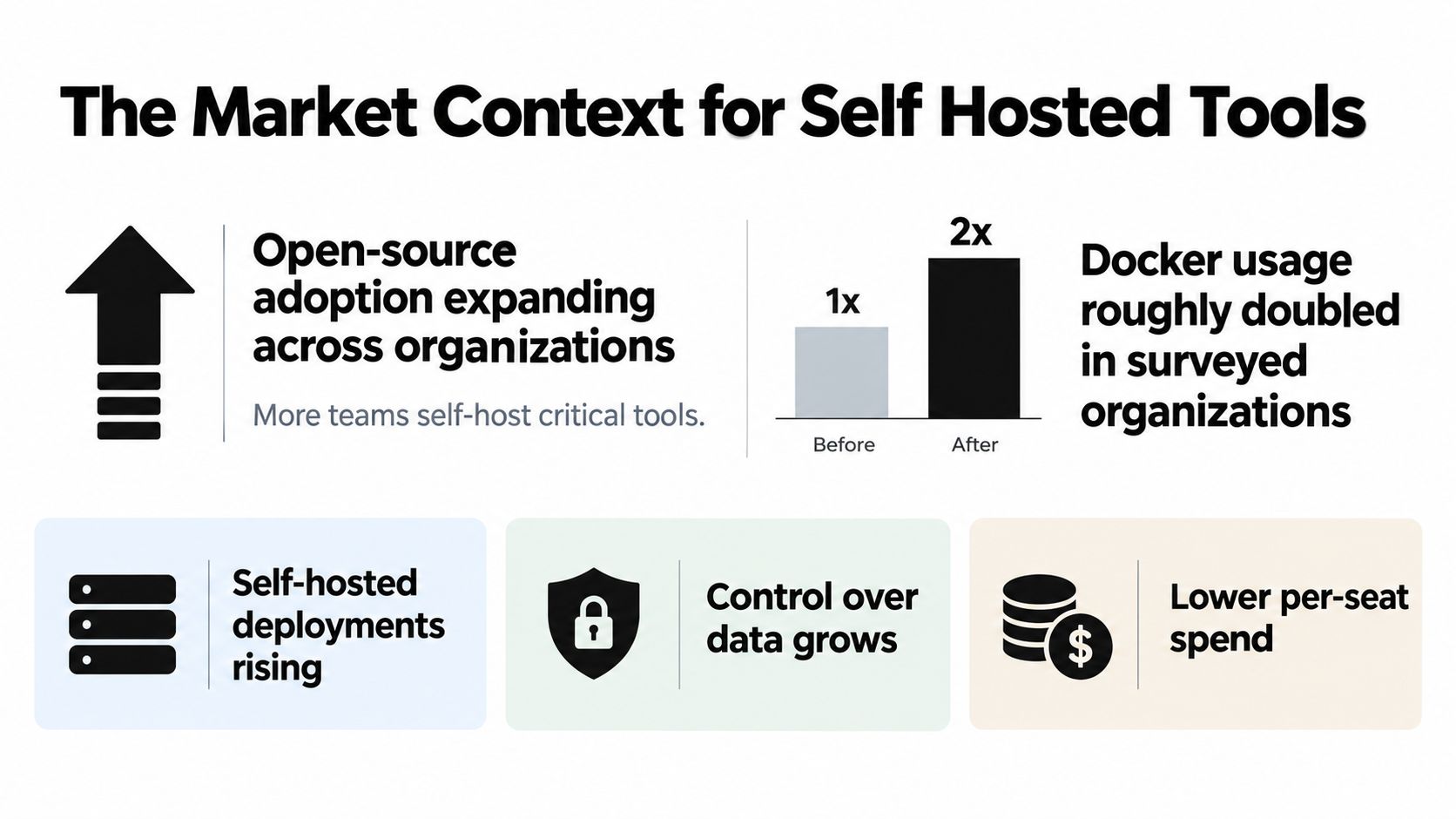
Organizations are using open-source software across a wider range of work. OpenLogic's 2024 report found that 95% of surveyed organizations increased or maintained their open-source use, and 33% reported a significant increase. Among respondents from organizations with 500 to 5,000 employees, 39% reported significant growth. Docker use rose from 26% to 44.6% in the surveyed population (OpenLogic's 2024 State of Open Source Report).
That's useful context for self-hosted project management. It shows that organizations are adopting and expanding their use of open-source software, including software they can deploy and operate under internal control. It does not show how many organizations self-host project-management applications specifically. Docker adoption is a broader indicator, not a measure of project-management deployments.
Project-management software is also a sizeable global category. One industry estimate valued the market at USD 7.36 billion in 2023 and projected it to reach USD 15.06 billion by 2032, a projected compound annual growth rate of 18.48% from 2024 through 2032. It estimated that the United States accounted for 29.6% of the market (the project-management market estimates). These are market-sizing estimates, not a census of self-hosted products or users. Treat them as context for the broader software category, not proof of self-hosted adoption.
Together, the figures point to an environment where open-source infrastructure and workflow software are both established areas of investment. They don't tell you whether self-hosting is right for your team. That decision still depends on whether you need infrastructure control and can take responsibility for running the service.
Deploying the Stack with Docker Compose
For a new server, start with the project's docker-compose.yml or compose.yaml in the deployment directory. Docker Compose starts the services declared in that file with one command. For a typical Loupe deployment, that means defining the web application, worker, and PostgreSQL database as separate services in the Compose configuration.
Run:
docker compose up -d
The -d flag starts the services in detached mode. The containers run in the background, and the command returns control of the terminal. Docker also supports docker compose up --wait, which runs detached and waits until services are running or healthy (Docker's Compose up reference).
Starting a container doesn't prove that its dependencies are ready. A database process may be running while it's still starting up, leaving a worker unable to connect. Configure health checks for critical dependencies, then use depends_on with condition: service_healthy so a dependent service waits for the dependency's healthy state. Docker's example checks Redis with redis-cli ping, expects PONG, runs the check every 5 seconds, allows 3 seconds per check, permits 5 retries, and sets a 10-second startup period before checks begin (Docker's Compose getting-started example).
Those settings illustrate the mechanism, not universal values for every service. Choose checks that verify the dependency can do useful work, and tune timing to suit the application. A database check should test database readiness, not merely that its container exists.
| Primitive | What it does | When to use it |
|---|---|---|
| Health check | Reports whether a service is ready, not just running | For critical dependencies such as the database |
depends_on with condition: service_healthy | Makes a dependent service wait for a healthy dependency | When the web service or worker needs another service before it can function |
docker compose up -d | Starts declared services in the background | For a standard deployment where you'll check service status separately |
docker compose up --wait | Starts services detached and waits for them to become running or healthy | When you want the command to wait for readiness conditions |
Keep configuration and secrets outside container images, and use persistent storage for the database. Compose makes startup repeatable. It doesn't provide disaster recovery by itself, so a successful deployment still needs tested backups and a clear upgrade plan.
Security and Backup Runbook
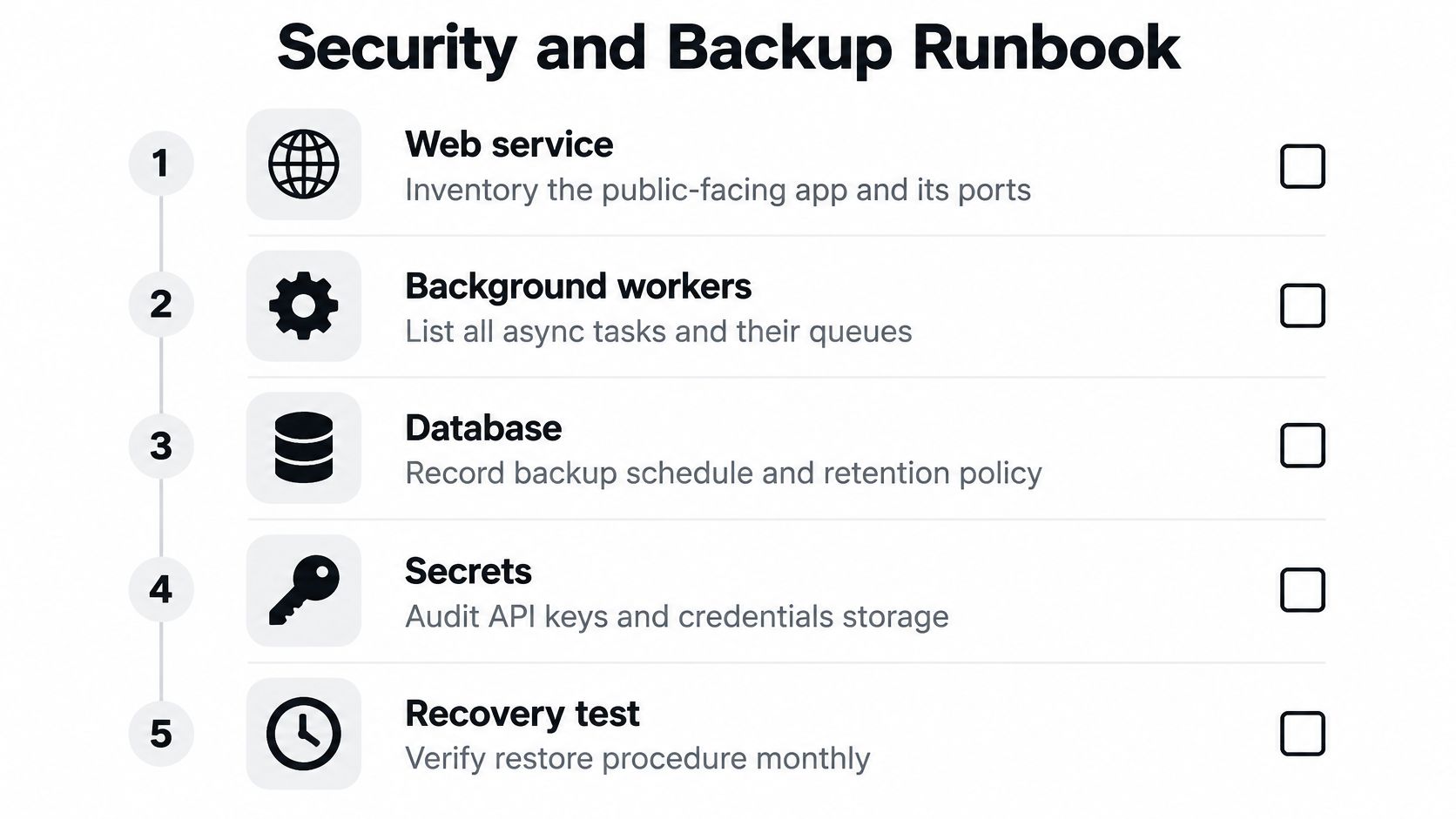
Write down what you're operating before you expose it to users. Include the web service, background workers, PostgreSQL, reverse proxy, host operating system, container images, GitHub or other forge credentials, model-provider keys, and user-uploaded files. If an asset isn't in the inventory, it's easy to miss when reviewing access or planning recovery.
Limit access and control changes
Use separate credentials for application access, database administration, repository automation, and model APIs. Scope tokens to the repositories and actions they need. Don't put secrets in container images, card descriptions, prompts, logs, or pull requests. A single administrator token reused across integrations makes access harder to restrict and harder to review.
Set a patch SLA based on severity. Test upgrades in a disposable environment, and take a database snapshot before any schema change. Check compatibility among the application, worker, database schema, and reverse proxy before upgrading in production. That's how you reduce the chance that one updated component leaves the rest unable to work together.
Make recovery a tested procedure
Keep versioned, encrypted online backups and a separate offline copy or one protected by different credentials. Write down recovery-point and recovery-time objectives so the team knows how much data loss and downtime it can accept. Then restore a backup to a clean environment and verify that the application can use it. A completed backup job is not proof that the backup can be restored.
Pair common failure modes with a preventative step:
- PostgreSQL exposed publicly: Keep database access within the required internal network boundary.
- One admin token reused across integrations: Issue separate, least-privilege credentials and rotate them when access changes.
- Broad host directories mounted into containers: Mount only the specific paths each service needs.
- Worker logs ignored: Include worker logs and failed jobs in routine monitoring.
- In-place upgrades without compatibility checks: Test the upgrade and snapshot the database before schema changes.
A restore drill can expose missing files, expired credentials, or undocumented steps while there's still time to fix them. It also gives the team evidence that the recovery process works, not just that backups exist.
Watching Worker Queue Depth
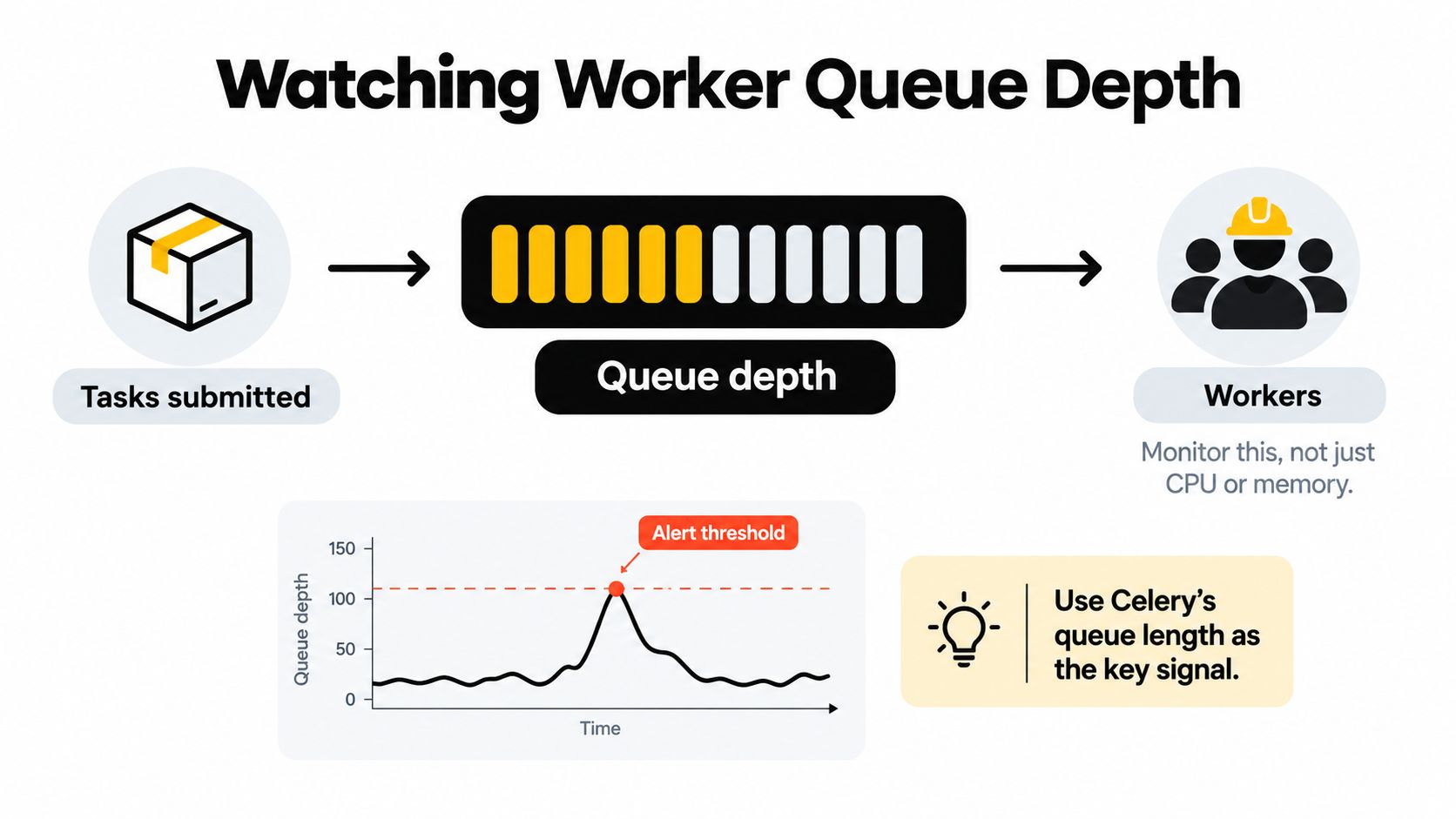
CPU and memory tell you about resource use. They don't tell you how long work is waiting. For an agent-enabled workflow platform, worker-queue depth is a primary signal because it shows whether incoming tasks are outpacing completed tasks.
Celery's documentation gives a clear failure scenario: if each task takes 10 minutes and 10 new tasks arrive every minute, the queue can never become empty. In that situation, restarting a worker doesn't solve the underlying imbalance. You need to investigate worker capacity, task duration, and whether unnecessary tasks can be revoked (Celery's optimization guidance on queue lengths).
Measure each queue over time
Sample each declared queue regularly and report them separately. One documented Celery monitoring implementation samples every queue every 30 seconds, then shows current depth, hourly minimum and maximum, and a sparkline for each queue (Celery Radar's queue monitoring approach).
That view helps distinguish a short-lived burst from a persistent backlog. Alert when a queue remains above a configured threshold for a configured duration, rather than paging someone for a brief spike. There's no universal threshold in the Celery guidance. Set one based on acceptable waiting time and the work handled by that queue.
When a queue stays high, check whether workers are available, tasks are taking longer than expected, or the broker is healthy. Add worker capacity only after you understand the bottleneck. Otherwise, you may add resources without fixing the reason work is piling up.
Operating Self Hosting Week to Week
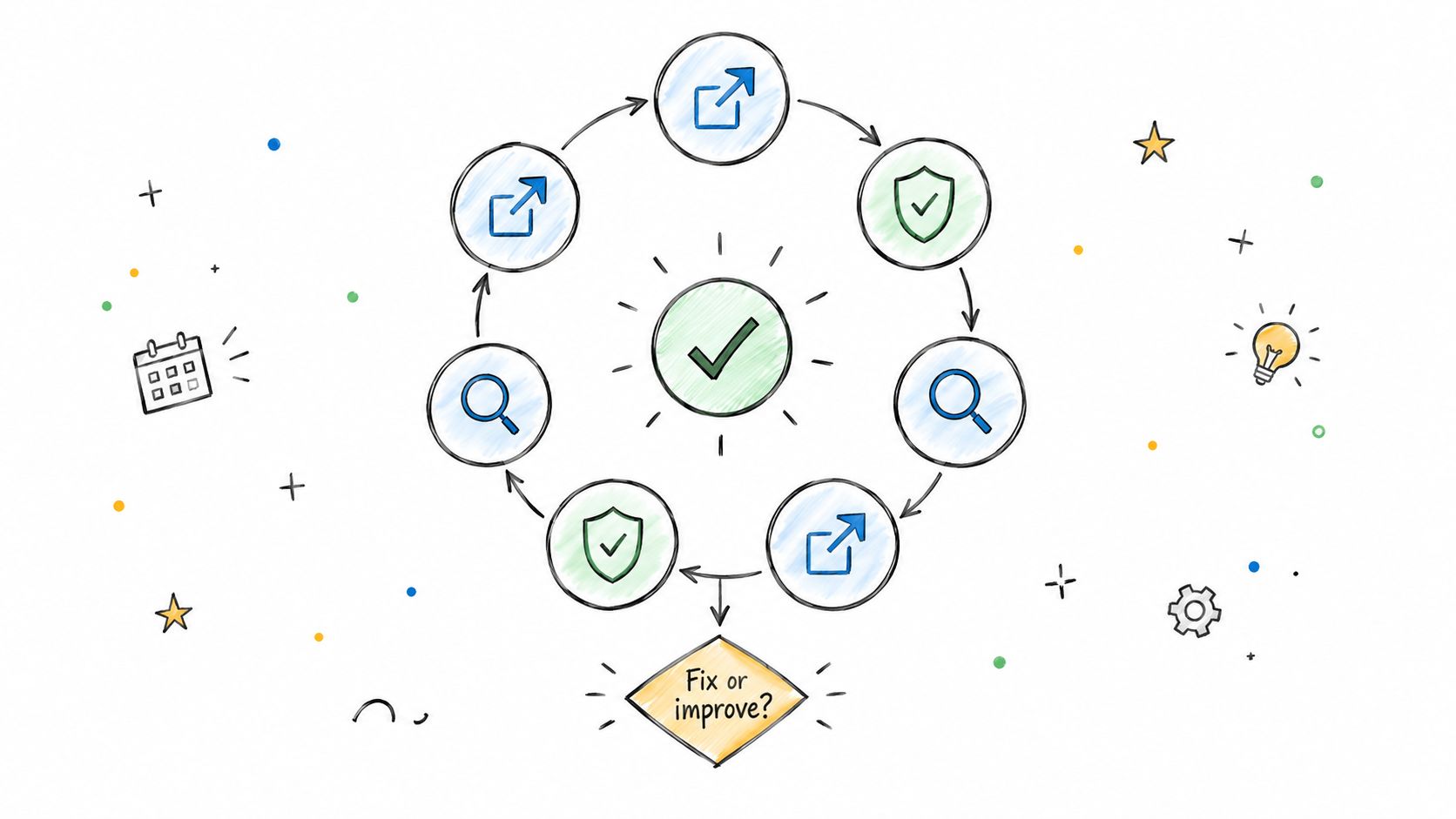
Use a regular review to connect workflow results to service health. Compare planned work with completed cards, classify failed runs, and note how much time work spent waiting for a human or an agent. Change workflow rules after checking those patterns, not because one run was frustrating.
DORA's delivery measures offer useful reference points: deployment frequency, lead time for changes, change-failure rate, and time to restore service. DORA defines change-failure rate as the percentage of deployments that require remediation, such as a rollback or hotfix. These measures describe delivery health, not whether a self-hosted project-management application is reliable (DORA's guide to delivery metrics).
For a practical review, check that someone owns patches, backup restores, access, and queue alerts. Estimate the maintenance time your team can provide, document the patch SLA, and test recovery rather than assuming it works. If that work doesn't fit your team's capacity, a hosted service or support contract may be the more responsible choice. The same habit of reviewing decisions and feedback applies to a product design review process.
Loupe provides a board-based workflow platform that orchestrates coding agents across product design, technical design, implementation, and review, with human checkpoints built into the flow. It's available under the AGPL for self-hosting and as a hosted service in private beta. If that workflow fits your team, visit Loupe to learn more.