Git Merge Conflict: How to Fix It Step by Step
Resolve a git merge conflict without guessing ours or theirs. Learn the steps, the conflict types, and workflows that cut repeat clashes.
In this article
- How Often a Git Merge Conflict Shows Up
- What Git is comparing
- How to Resolve a Git Merge Conflict
- Run the commands in order
- Why the third version matters
- Which Change to Keep for Each Conflict
- When keeping a side is reasonable
- When to stop and ask a human
- Fixes When the Merge Still Fails
- Unresolved files and wrong turns
- Files that need a different approach
- Reused fixes and hidden breakage
- Workflows That Lower the Conflict Rate
- Make parallel work easier to integrate
- Match validation to the risk
- Track Conflicts Before the Next Merge
- Record decisions, not just failures
- Keep approval separate from repair
Almost one in five merges caused a conflict in a study of 143 open-source projects. A Git merge conflict isn't an unusual failure. It's a normal part of combining work, especially when several people or coding agents change the same application.
The important question isn't just how to remove the markers. It's which behavior the merged code should keep. Often, the safest answer is a third version that preserves both changes, rather than choosing ours or theirs.
How Often a Git Merge Conflict Shows Up
A large empirical study of Git projects reviewed 556,911 commits, including 36,122 merge commits, and identified 6,979 conflicted merges, a conflict rate of 19.32% across 143 open-source projects. That's a useful comparison point, not a forecast for your repository.
Project structure, branch age, team size, and file ownership affect how much integration work developers face. Also, published rates don't always measure the same thing. A file-level textual clash, a broken behavior after merging, and a developer's experience are different measures.
Published merge conflict rates by what was measured
| What was measured | Rate | Sample |
|---|---|---|
| Merge commits that conflicted | 19.32%, about 1 in 5 | 6,979 of 36,122 merges in 143 projects, from the empirical study linked above |
| Textual conflicts | 15.8% | 564 of 3,562 merges in nine open-source projects, described in this merge-conflict analysis |
| Semantic conflicts, median | 15.2%, with quartiles of 6.7% to 28.9% | Nine open-source Git projects, described in the same analysis |
| Java merge scenarios | 5.02% | 78,740 merge scenarios, summarized in this software integration study |
| Developers who have seen a conflict | Nearly 90% | A 2024 Hutte expert-panel compilation |
Don't compare the last row with the merge rates. It describes developers who have encountered a conflict, not the share of merges that fail.
What Git is comparing
In a normal three-way merge, Git compares your branch tip, the incoming branch tip, and their common ancestor, called the merge base. It uses the base to work out what each branch changed.
Say both branches start with the same price-check function. You change its discount logic while another developer changes its tax logic. If the edits overlap, Git may stop because it can't safely combine the text.
GitHub's merge-conflict guidance identifies common cases:
- Same-line edits: Both branches change the same part of a file.
- Edit versus delete: One branch changes a file that the other removes.
- Competing additions: Both branches add a file at the same path.
For text conflicts, Git usually inserts markers such as <<<<<<< HEAD, =======, and >>>>>>> feature. Not every conflict has readable markers, though. Binary files and file deletion conflicts need different handling.
Long-lived branches give changes more time to drift apart. Parallel work also creates more chances for overlapping edits. Treat integration as part of your software development lifecycle, not as cleanup after implementation.
How to Resolve a Git Merge Conflict
A clean working tree makes a conflict easier to understand. Commit or stash unrelated changes before merging, so you can tell which edits came from the merge and which were already yours.
The Git merge manual explains how to inspect, abort, and complete a merge. Removing conflict markers settles the text, not the behavior. Check what the program will do before you finish.
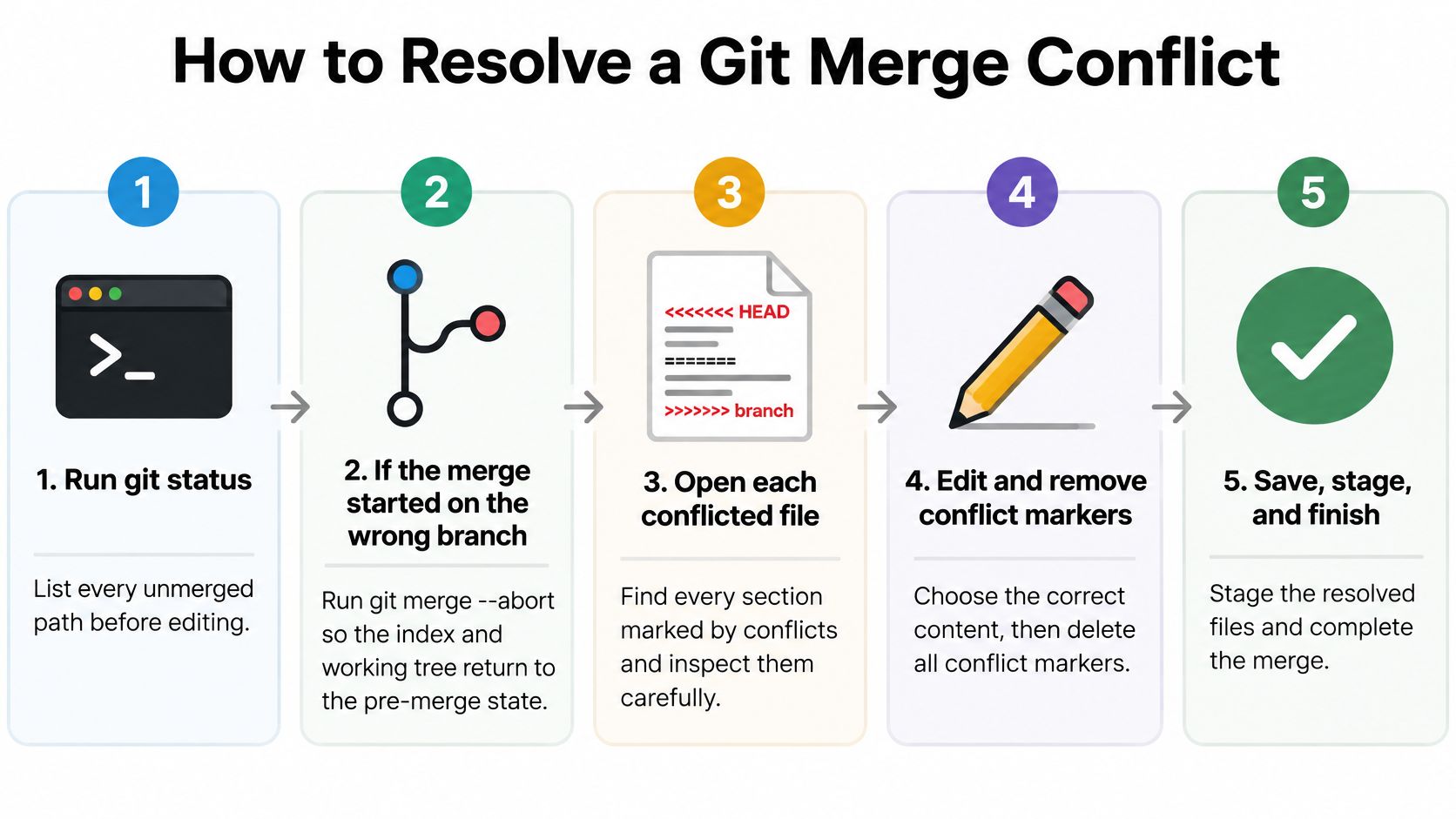
Run the commands in order
List every unresolved path. Run
git status, thengit diff --name-only --diff-filter=Uto see which files Git still considers unmerged.Check the merge direction. If you started on the wrong branch, run
git merge --abort. A clean working tree makes it easier to return to the state before the merge.Inspect the base and both branch versions. Use
git difforgit mergetool. To inspect an unresolved file, rungit show :1:path/to/filefor the base,git show :2:path/to/filefor ours, andgit show :3:path/to/filefor theirs.Read why each branch changed the file. Use
git log --oneline, path/to/fileandgit show <commit>to identify the requirements, then write down what the merged result must preserve.Edit for the intended behavior. Keep one side only if you can explain why the other change is no longer needed. Otherwise, combine both requirements in a new implementation.
Remove markers and stage resolved files individually. Run
git diff --check, inspect the result, and usegit add path/to/filerather than staging unrelated changes.Run the project's validation commands. Execute the build, unit tests, integration tests, and linters. Include targeted checks for the behavior you combined.
Inspect and complete the merge. Review
git diff --cachedandgit status. When all conflicts are resolved and checks pass, rungit merge --continue.Enable reuse only after reviewing a trustworthy fix. Run
git config rerere.enabled trueto let Git reuse resolutions in future conflicts. This does not record a completed resolution retroactively. If Git reuses a fix, rerun the tests.
For a normal merge, ours means the branch you're on, and theirs means the incoming branch. During a rebase, check the operation before relying on those labels because their meaning can be confusing.
Why the third version matters
One branch adds a tax rule while another adds a discount cap to the same price check. Keeping only the tax change drops the cap. Keeping only the discount change drops the tax rule.
If the requirement is to tax the discounted amount, write a third version: apply the discount cap, calculate the discounted price, then apply tax. That preserves both intents rather than choosing one side.
Test the capped-discount case, the tax case, and their combination. If the required order is unclear, stop and ask the requirement owner. Tax and discount order is a product rule, not something Git can decide.
Practical rule: Before staging a resolution, explain what each branch intended and how the final code preserves it.
A file can compile and still drop a rule, apply checks in the wrong order, or call an outdated interface.
Which Change to Keep for Each Conflict
A study of 204 conflicts across 15 open-source repositories identified four main strategies: keep the left branch, keep the right branch, combine both, or combine both with extra edits. Candidate solutions covered 86% of textual conflicts in the inspected data, but other cases needed additional judgment or changes.
Use the shape of the conflict to choose your next action. Don't use the size of the highlighted block as a measure of risk.
Conflict type, safe move, and the check that proves it
| Conflict shape | Safe move | Check before you continue |
|---|---|---|
| Same lines edited in both branches | Combine both edits, or write a third version if the lines disagree in meaning | Unit tests around that function |
| One side edited a file the other deleted | Keep the file only if the edit's behavior is still required; otherwise confirm the delete | Build plus a search for remaining callers |
| Both branches added the same path | Merge the new files into one intended module | Tests for both features that added the file |
| Refactor on one side, behavior change on the other | Replay the behavior change onto the new structure; don't pick a side | Compile and test the moved code |
| Code no longer compiles after a textual merge | Make coordinated edits beyond the markers | Full build |
| Tests pass but behavior conflicts in API, auth, money, or concurrency code | Get human review of the invariant; don't auto-accept | Targeted tests plus owner confirmation |
When keeping a side is reasonable
Keeping one side is appropriate when the other change has been intentionally replaced. For example, a branch may delete an obsolete component while another fixes a message inside it. If the replacement component already handles that requirement, restoring the old file may be wrong.
Check callers and related commits before deciding. A deletion might mean the behavior moved elsewhere, not that the team abandoned it.
Commands such as git checkout --ours path/to/file and git checkout --theirs path/to/file replace the whole file with a branch version. They aren't a way to accept just the highlighted lines. Review the resulting diff before staging.
When to stop and ask a human
A mechanical combination works only when the requirements are compatible and their relationship is clear. Combining both versions of an authorization check, for example, could accidentally broaden access rather than preserve both restrictions.
Stop when:
- Intent is unclear: Both branches look reasonable, but nobody has established which requirement takes priority.
- The rule is sensitive: The change affects authorization, money, concurrent updates, or another critical invariant.
- Tests don't settle the question: Checks pass, but the commit descriptions still imply incompatible behavior.
- Validation needs another discipline: A schema change needs migration testing, or a UI change needs visual review.
For ordinary logic, add focused unit tests. For migrations, exercise the upgrade path against representative data. For interface changes, verify callers and contract expectations.
A clean file proves you've removed the textual disagreement. It doesn't prove you've made the right product decision.
Fixes When the Merge Still Fails
If git status still reports unmerged paths, Git hasn't accepted the resolution yet. If it reports no unresolved files but the build fails, you've finished the text work without finishing the integration work.
These need different responses. Don't keep rerunning the merge command and expect Git to infer the missing decision.
Unresolved files and wrong turns
- Leftover markers: Search tracked files with
git grep -n -e '^<<<<<<< ' -e '^=======$' -e '^>>>>>>> ', inspect every match, and stage each resolved path. - Resolved but unstaged files: Run
git statusand add the specific files you finished, because editing alone doesn't mark them resolved. - Wrong merge direction: Use
git merge --abortwhile the merge is in progress, and preserve any valuable edits before retrying. - Destructive recovery commands: Don't reach for
git reset --hardas routine cleanup, because it can discard uncommitted work.
Marker searches can find ordinary text that resembles a separator. Review matches rather than deleting them automatically.
Files that need a different approach
Generated lockfiles should generally be regenerated with the project's package manager after you've resolved the manifest. Don't invent dependency entries by joining arbitrary chunks of the lockfile. Inspect the regenerated diff and run dependency installation and tests.
Images and other binary files may have no useful text markers. Choose the asset that matches the intended design, or recreate the combined result in the appropriate editing tool. Then stage the file and review it in the application.
Rename conflicts can leave old and new paths in confusing states. Run git status -u, inspect both locations, update imports or callers, and stage the intended additions and removals.
Submodule conflicts concern recorded commit pointers. Enter the submodule, find or create a commit containing the required changes, check out that commit, and stage the updated submodule path in the parent repository.
Reused fixes and hidden breakage
According to the Git rerere documentation, Git can reuse a recorded resolution by combining the earlier conflict, its earlier fix, and the current conflict. That makes repeated work easier, but it doesn't establish that the old decision still fits.
If a reused resolution is wrong during the current conflict, run git rerere forget <path> and resolve the path again. Review the new result before recording it.
When a marker-free merge fails compilation, inspect changed interfaces and moved symbols across the repository. The missing fix might belong in a caller that never had a textual conflict.
Workflows That Lower the Conflict Rate
Keep branches short and integrate deliberately. Merge or rebase onto the main line while the change is still easy to understand. Don't wait until a large feature is finished to discover that its assumptions no longer match the application.
Separate broad renames and refactors from behavior changes. Reviewers should be able to distinguish code that moved from code that now does something different.
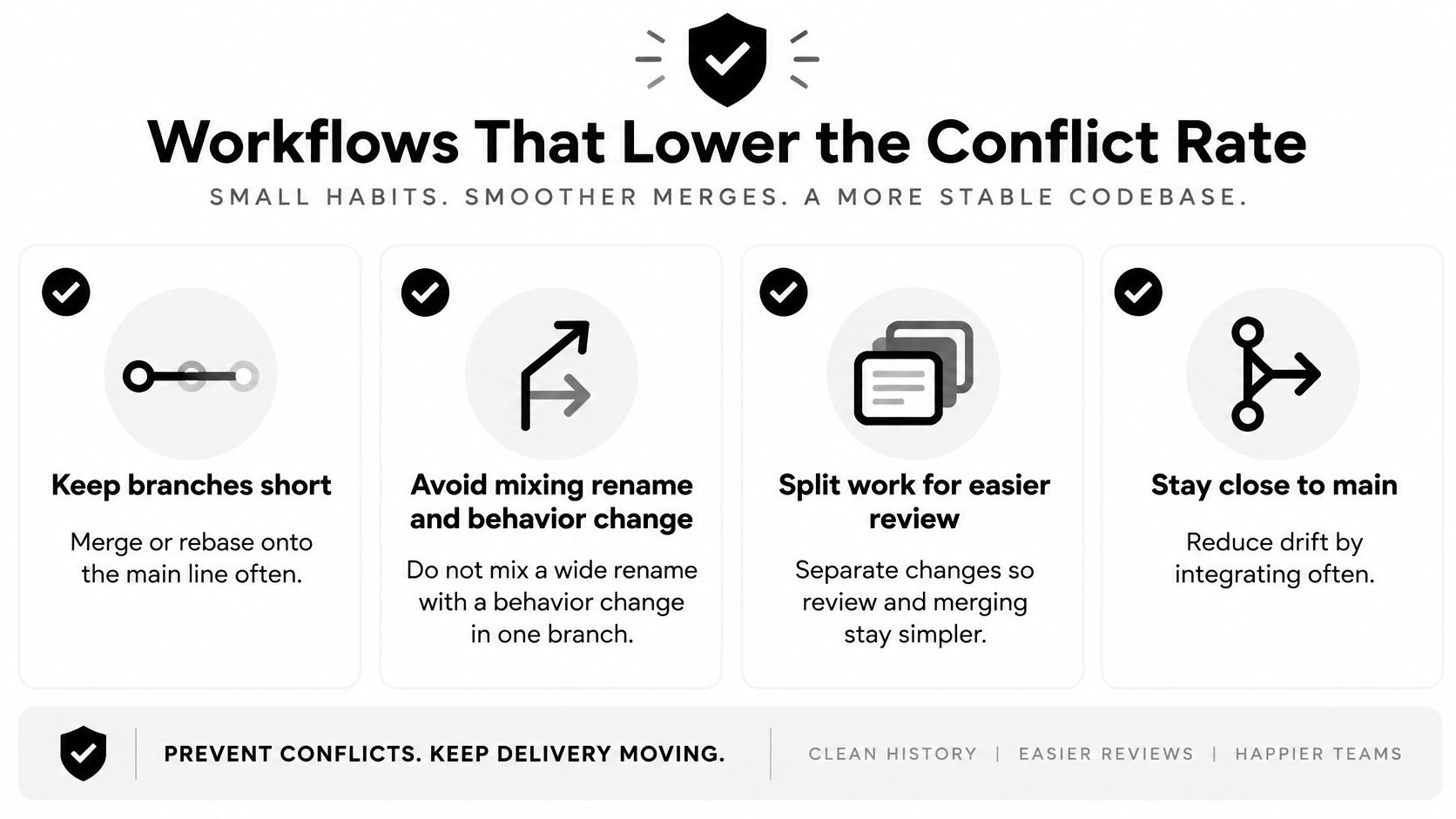
Make parallel work easier to integrate
Give frequently changed modules a clear coordination owner. That person doesn't need to author every change, but they should know when several branches are rewriting the same interface.
Keep pull requests focused enough that reviewers can explain their purpose without reconstructing several unrelated changes. Put the integration checks in your code review checklist, including changed callers, migrations, and assumptions about shared state.
For concurrent workers, use separate Git worktrees. A worktree gives each task its own checkout while sharing the repository's object storage. It prevents a worker from accidentally building on another worker's uncommitted edits, though it doesn't eliminate conflicts between their branches.
At Loupe, we recommend a worktree script that the bridge runs before each worker. Workers then run side by side in their own checkout instead of sharing one.
Match validation to the risk
Classify problems during triage:
- Textual: Git can't combine the file content, so inspect the conflicting edits and their intent.
- Structural or compiling: The combined code has incompatible names, types, imports, or interfaces, so run the full build and check affected callers.
- Behavioral or dynamic: The application runs but violates an expected rule, so test the invariant and request owner review where needed.
Repository-wide checks matter when a change crosses module boundaries. Testing only the file that displayed markers won't catch a caller using an old signature or a migration that breaks an existing deployment.
Team habit: Record why a resolution is correct, not just that the conflict is fixed.
Use rerere for recurring, reviewed resolutions, not as an automatic approval mechanism. Keep the same validation gates when a fix is reused.
Finally, measure conflict rate, fix rounds, and time to merge by change category. Refactor branches, dependency updates, and feature branches expose different risks. Compare similar work before deciding whether a workflow change helped.
A lower marker count isn't your only goal. You also want reviewers to understand the integration and users to receive the intended behavior.
Track Conflicts Before the Next Merge
A sample of recent merge attempts can show how often conflicts occur in your repository. For example, review your last 50 merge attempts and record which ones encountered a conflict. Use pull request records, CI logs, or team notes: Git history alone may not show whether a completed merge needed manual resolution.
Divide conflicted attempts by all attempts in the sample. Compare the result with a published baseline as a rough reference, not as a pass-or-fail target.
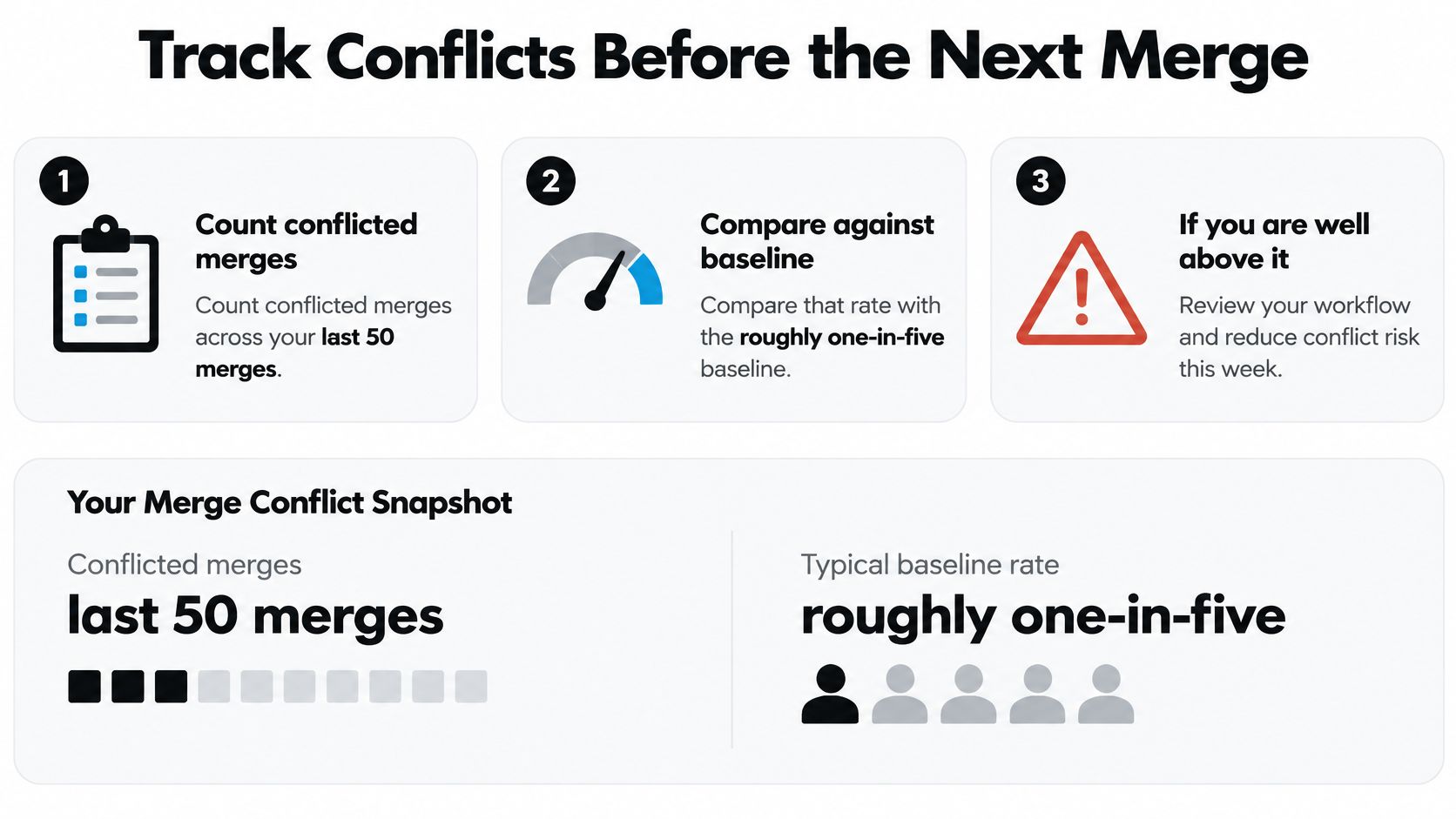
Record decisions, not just failures
For each conflict, record the branch type, affected area, resolution choice, checks run, and whether someone clarified the intent. Note whether the resolution kept one side, combined existing edits, or created a third version that preserved both intents.
If the rate looks high, inspect branch age and mixed refactor work before adding automation. If the rate looks low but merged changes still break behavior, improve validation instead of treating fewer conflict markers as success.
Write a short resolution order into your team notes:
- Run
git statusand inspect every unresolved path. - Compare the base version with both branch versions.
- Preserve both requirements when they are compatible.
- Run relevant checks and inspect the staged diff.
- Continue only when the intent and validation agree.
Keep approval separate from repair
When Loupe detects a conflict, it can dispatch a fix agent to resolve it. The safest resolution may be a third version that combines both changes, rather than choosing ours or theirs unchanged.
The merge skill and approval script hold a pull request after conflict resolution when the project sets approvalCoversConflictResolution to false. This keeps the conflict repair from relying on approval given before the repair.
A fix request can also finish while its rule still holds for a new reason, such as a conflict that arrived during the run. In that case, the workflow asks for one more fix immediately.
Keep repair, validation, and approval distinct in an AI engineering workflow. An agent can resolve integration, checks can test defined expectations, and a human can decide unclear product intent. Clean text alone does not prove the combined change behaves correctly.
Before the next parallel batch, measure the conflict rate, follow the resolution order, and keep human approval after an agent fix. For the conflict open today, record which requirements survived and which test checks the combined behavior.
Loupe coordinates coding agents across design, implementation, and review, with explicit human checkpoints. Visit Loupe to explore a workflow that dispatches conflict fixes while keeping merge decisions and approvals visible to your team.