AI Software Development: How AI Changes Each Stage
Learn how AI software development changes design, coding, review and operations, with simple examples, real data and a clear way to start.
In this article
- Where AI Fits in Each Stage of Building Software
- The Four Stage Map
- After Code Exists
- How AI Helps Teams Shape Product and Design Work
- A Short Process That Works
- How AI Writes, Changes and Tests Code
- A Traceable Coding Flow
- Where AI Helps and Where It Struggles
- Measuring Results Beyond How Fast Code Gets Written
- Five Measures Worth Tracking
- Where People Stay in Control and Common Mistakes
- An Example Gate
- Three Controls to Set
- Two Mistakes That Still Cost Time
- Start With One Small AI Workflow Today
You picked a small feature. The AI wrote the code in minutes. Then your team spent two days reading it, fixing edge cases, and asking if it matched the plan.
That's normal now. AI software development isn't slow at writing code. It's often slow after the first draft appears.
It is like a fast junior builder. He can put up walls quickly. He still needs a clear plan, checks while he works, and a final inspection before anyone moves in.
The true gain doesn't come from the draft alone. It comes from how you run each stage, from idea to release.
Where AI Fits in Each Stage of Building Software
Say your team wants a booking button. A user taps it, picks a time, pays, and gets a confirmation. That one feature still passes through design, implementation, review, and operations.
AI can help in all four stages. It shouldn't own all four stages. People set the goal, judge fit, and carry the risk if something breaks.
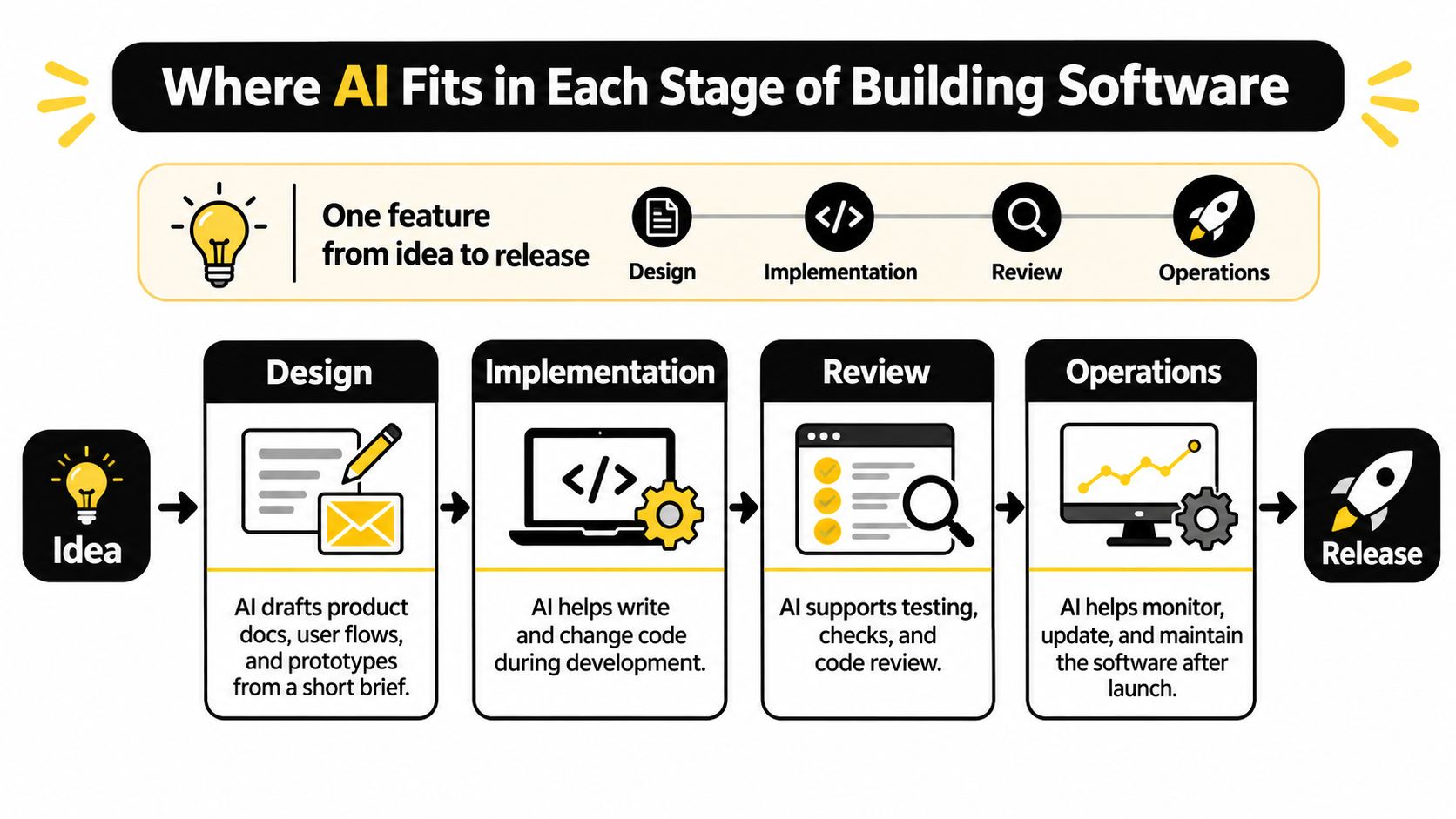
The Four Stage Map
| Stage | What AI Does | What People Still Own |
|---|---|---|
| Design | Drafts product specs and clickable prototypes | Sets goals and approves scope |
| Implementation | Writes code and tests from an approved design | Checks logic and fit with the product |
| Review | Checks code against the design and standards | Makes the final call on quality and risk |
| Operations | Watches logs, flags alerts, drafts fixes | Decides on rollbacks and release timing |
In design, an agent can turn the booking idea into screens, user stories, and rules for full or failed payments. A person still decides who it's for, what's in scope, and what's left out.
In implementation, an agent writes the code and tests from that approved design. A person checks whether the logic fits the booking rules, not just whether the code runs.
After Code Exists
In review, an AI reviewer can check the code against the design and your team's standards. It can flag a missing payment check or a weak test. A person makes the final call on quality and risk.
In operations, AI can watch logs after release and flag failed bookings. It can draft a fix. A person decides whether to ship that fix, roll back, or wait.
Simple start: Write down your own stages. Next to each one, write "AI drafts" or "people decide." If a stage has no clear owner, fix that first.
Keep this map in view. Each next stage adds detail to the same four boxes, so you don't need a new process for every tool.
How AI Helps Teams Shape Product and Design Work
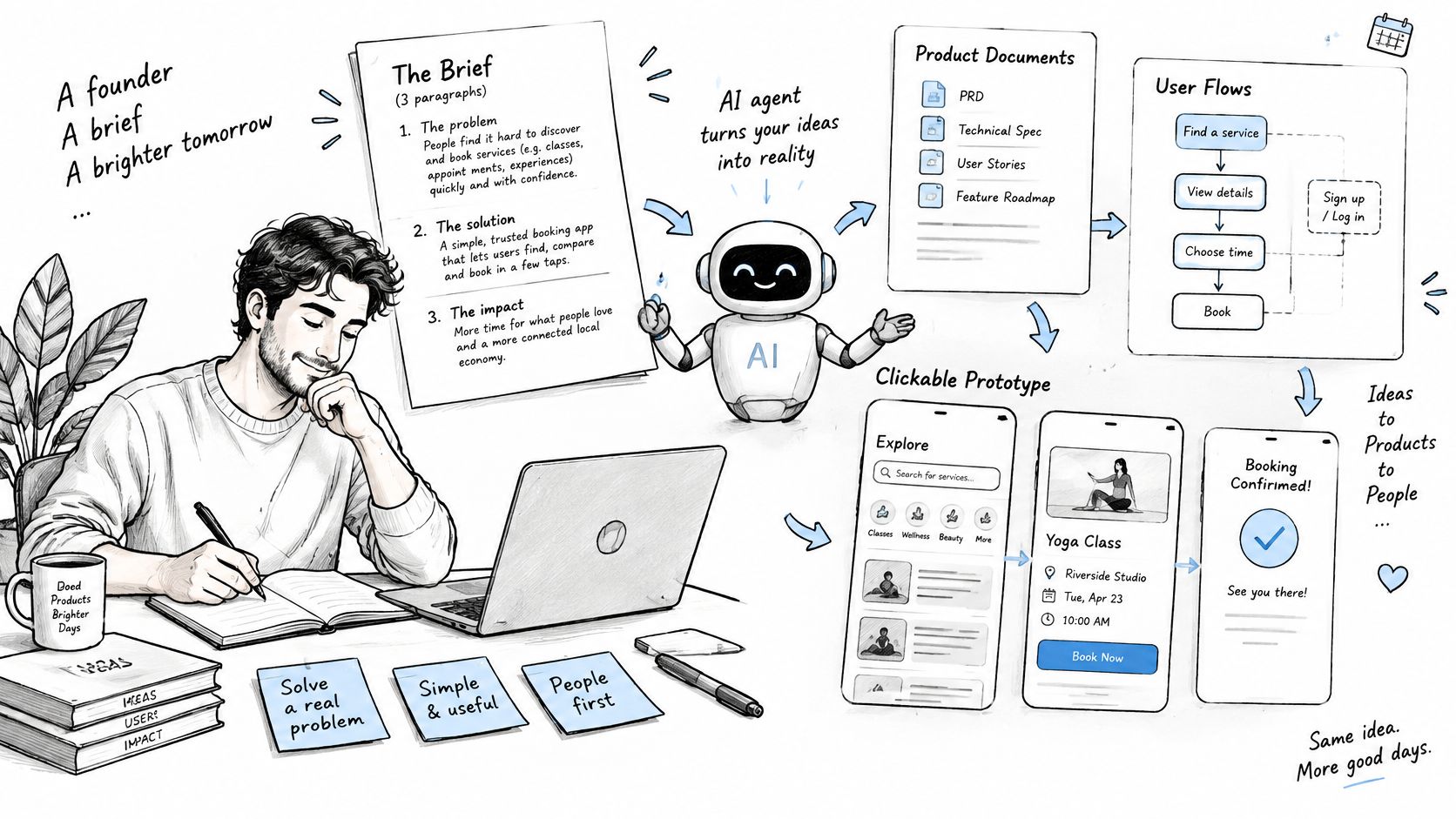
Say a founder writes three paragraphs about a booking app. She names the users, the main action, and what success looks like. An AI agent returns a product document with user stories, edge cases, and a clickable prototype.
That's useful speed. It's also where errors start. A vague brief gives you a neat, confident draft that's wrong.
Check any draft with three plain rules.
- Find the intent: What is the user trying to do, in their own words?
- Meet what users expect: Does this work like similar tools they already know?
- Surprise the user least: Does it avoid odd steps, hidden actions, and new terms?
In the product design stage, an agent drafts the product document and a clickable prototype, a second agent reviews the draft first, and you review it before any code. The second agent catches gaps early. Your review checks intent, not just polish.
A Short Process That Works
- Write a one-page brief: State the goal, the users, and the limits.
- Ask for a draft: Get the document, flows, and prototype.
- Check three things: Does it match the goal? Does it cover errors and empty states? Who signs off?
A clear brief works like a good AI product requirements document because it gives the agent fixed facts to build from. Without those facts, the agent fills gaps with guesses.
Don't start code from an unapproved draft. Approval before code is the cheapest check in the whole process.
How AI Writes, Changes and Tests Code
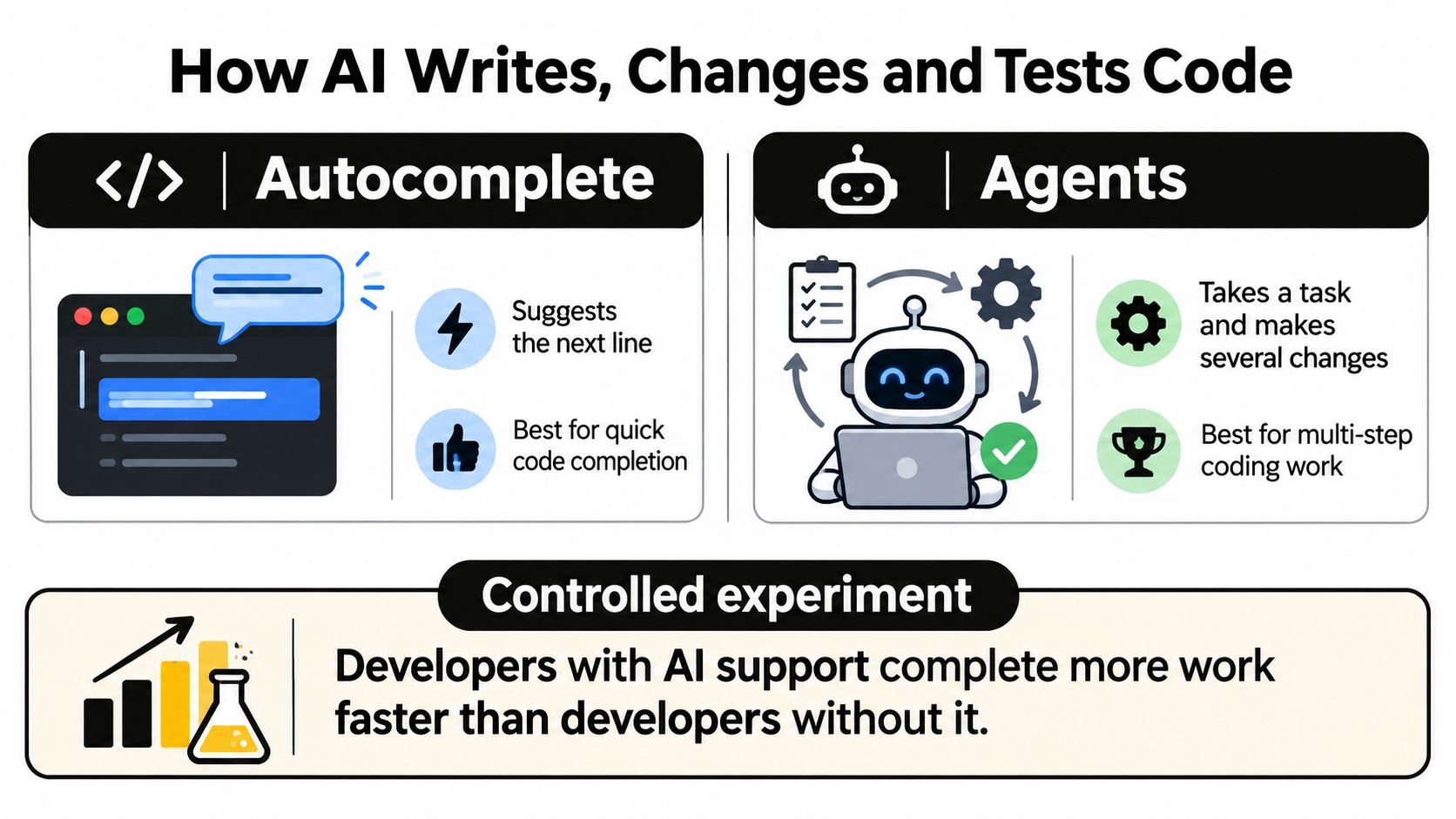
Autocomplete suggests the next line while you type. An agent takes a task, reads files, makes several changes, runs tests, and reports back. They're not the same tool, and they don't need the same level of trust.
The speed gain can be real. In a controlled experiment with developers, access to GitHub Copilot reduced the time needed to implement an HTTP server in JavaScript by 55.8% compared with developers who didn't use the tool.
Read that number with care. It was one bounded task, not a full product with users, data, and old code to fit into. It shows faster implementation. It doesn't prove faster, safer delivery.
A Traceable Coding Flow
A safer flow has three steps. A person approves a design. An agent builds it. The agent opens a pull request on GitHub for review.
In the implementation stage, our worker builds the approved design and opens a pull request on GitHub. That step is traceable because the design, the code change, and the review sit in one path.
Where AI Helps and Where It Struggles
AI is strong at repeated code, boilerplate, first drafts, and routine tests. It's like a power tool for known shapes. Cut the same board ten times and it saves real time.
It struggles with unclear requirements, unusual systems, and code that must fit an existing architecture. A different AI code generation tool won't fix a task that no one has defined well.
Keep three habits.
- Keep tasks small: One clear change per task, so review stays short.
- Write tests first: Tests tell the agent what "done" means.
- Ask for an explanation: Make the agent say what changed and why.
Measuring Results Beyond How Fast Code Gets Written
Faster code can still mean slower delivery. Google's 2024 DORA research found that a 25% increase in AI adoption was associated with a 7.5% improvement in documentation quality, a 3.4% improvement in code quality, and a 3.1% improvement in code-review speed.
The same increase was also associated with a 1.5% reduction in software-delivery throughput and a 7.2% reduction in delivery stability. That's the trade-off to watch. Some local measures improve while the full path to release gets worse.
Counting lines of code or commits can mislead you. More code can mean more review, more fixes, and more code to maintain. It's like counting pages written instead of checking if the book makes sense.
Five Measures Worth Tracking
| Measure | What It Shows | Watch Out For |
|---|---|---|
| Cycle time | How long work takes from design to merge | Can drop while defects rise |
| Fix rounds | How many times work goes back for changes | Rising counts signal weak first drafts |
| Merge rate | Share of work that reaches the main code | High rates can hide rushed reviews |
| Defect escapes | Bugs found after release | Show up late, so track over months |
| Cost per finished item | Tool and model spend per completed task | Cheap runs that need rework cost more overall |
Cycle time shows if work moves faster end to end. Fix rounds show if the first draft was good enough. If cycle time falls but fix rounds rise, you moved the work, you didn't remove it.
Loupe's analytics show cost per finished card, merge rate, fix rounds and hours to merge, and let you compare models with experiments. Good AI agent observability makes those trade-offs visible instead of leaving them as team opinion.
Pick three measures. Record them before you add AI. Compare again after four to six weeks.
Long-term quality is still the weak spot in the evidence. Most work measures speed on small tasks, not maintainability, correctness, or bugs after release. Track quality over months, not days.
Where People Stay in Control and Common Mistakes
Trust is low, and that's useful information. In the 2025 Stack Overflow Developer Survey, 46% of developers actively distrust the accuracy of AI tools, compared with 33% who trust them, and only 3% reported high trust in AI output.
That doesn't mean don't use AI. It means don't let confidence in the text replace checks on the work. Approval gates turn low trust into a clear process.
An Example Gate
In Loupe's tech design stage, an agent writes the technical design from the approved product, a second agent reviews it first, and you comment then approve. The first review catches simple gaps. Your approval decides if the plan fits your system.
Loupe's agent review checks every design and every pull request against the approved design, and sends it back for fixes before you see it. You spend your time on judgment, not on hunting for missing requirements.
Three Controls to Set
- Who approves each stage: Name one person for design, code, and release.
- What gets recorded: Keep prompts, changes, test results, and reviews.
- When an agent must stop: Make it ask a person when requirements clash, tests fail twice, or data is at risk.
Use a plain rule of thumb. The more a change touches customers, data, or security, the more human checkpoints it needs. A label change needs a light check. A payment change needs a slow, named review.
Two Mistakes That Still Cost Time
Debugging AI code is a hidden cost. In Stack Overflow's 2025 survey results, 45% of respondents said that debugging AI-generated code is time-consuming, and 61.3% wanted to fully understand the code.
Mistake one is accepting code nobody has read. Every change needs a named reviewer who can explain it in plain words. If no one can explain it, it isn't ready to merge.
Mistake two is speed with no record. An agent moves fast, changes files, and leaves no clear trail. Later, your team can't tell why a choice was made or how to undo it safely.
Other common errors come from weak briefs, large tasks, skipped tests, and measuring only speed. Fix those at the stage where they start.
Before human approval: Run automated tests and design checks first. People should review work that has already passed the basic checks.
Start With One Small AI Workflow Today
Don't roll AI out to the whole company at once. Start with one workflow, one team, and one trial of four to six weeks. Small scope makes the result clear.
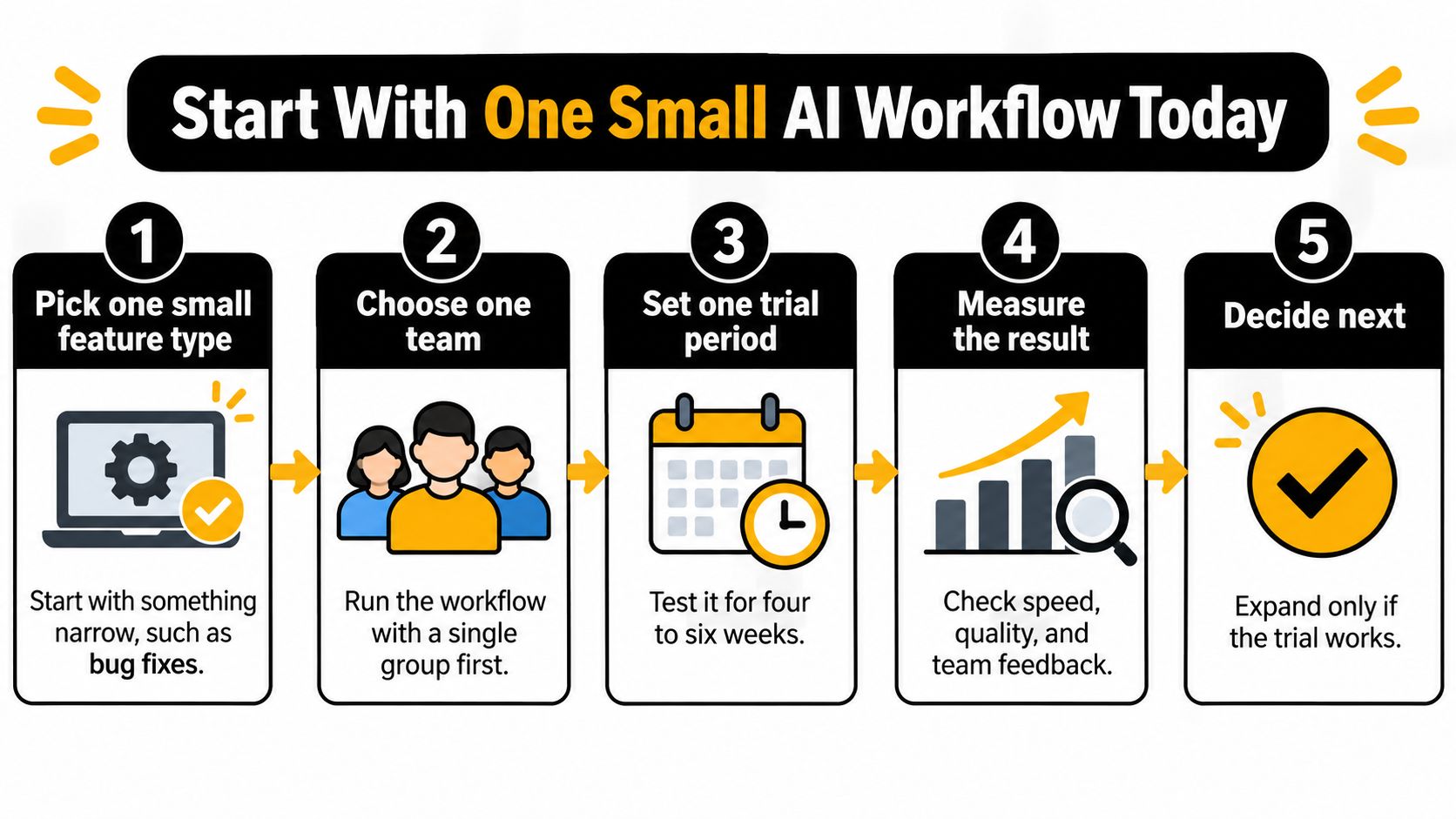
- Pick one small feature type: Start with bug fixes or small UI changes.
- Write a one-page brief: Add the goal, users, limits, and approval rules.
- Choose three measures: Record starting values before any AI is added.
- Set human checkpoints: Cover design, code, and release.
- Review after four to six weeks: Expand only if speed and quality both hold.
Loupe is a software factory for coding agents that runs on your own terms, with your agents, your machine, and your rules. It's open source under AGPL-3.0 and free to host yourself with Docker Compose, and its hosted version is in private beta, letting teams in a few at a time.
The goal is faster, safer delivery. Your measures show if you're getting it.
This week, pick the feature and write the brief.
If you want those checkpoints built into one board from product design to merged pull request, Loupe gives your agents clear stages, agent review, and named human approvals. Start self-hosted or join the private beta, run one small workflow, and let your measures decide the next step.