Pull Request Workflow: A Step-by-Step Guide for Teams
Build a pull request workflow with clear gates: small changes, automated checks, agent reviews, live previews and approvals that stop bad merges.
In this article
- Map the Workflow Stages at a Glance
- Make each handoff explicit
- How to Open Pull Requests Reviewers Can Approve
- Follow a short author routine
- Automated Checks That Block Bad Changes
- Enforce rules without wasting review time
- Agent Reviews Before Human Eyes
- Keep fix rounds traceable
- Human Preview Gates and Approval Rules
- Review the running change
- Make the review outcome explicit
- Triage Reviews and Queue Merges on Busy Branches
- Queue integration after review
- Measure the Flow and Start With One Repository
- Track the handoffs
Your pull requests are ready, but the reviewer isn't. A coding agent has opened another change, CI is still running, and the payment fix is buried under copy updates. Everyone's busy, yet nothing is moving.
A good pull request workflow treats review as limited capacity. Give each stage an owner, send humans work that's ready for judgment, and keep review priority separate from merge order.
Map the Workflow Stages at a Glance
| Stage | Owner | Gate to pass | Done when |
|---|---|---|---|
| Draft | Author | Intent, scope, risk and test notes written | Draft is pushed and linked to its ticket |
| Automated checks | CI system | Build, lint, security scan and targeted tests pass | All required checks are green |
| Agent review | Review agent | Change matches the approved design | No open findings remain |
| Live preview | Author and reviewer | Preview URL works and matches the design | Notes on the page are resolved |
| Human review | One accountable reviewer | Correctness, tests and compatibility checked | Reviewer approves the current version |
| Merge | Designated owner | Approvals in place and final check clean | Change is merged to the main branch |
Pull request stages, owners and gates should describe actual handoffs, not just board labels. The owner is responsible for getting the change through that stage, including clearing blockers.
Make each handoff explicit
Draft gives the author room to finish the proposal before asking for attention. Write the reason for the change while the context is fresh, not after a reviewer asks.
Automated checks catch mechanical failures before anyone reads the diff. Say a team opens a draft for a small login fix, CI finds a lint error, and the author corrects it before requesting review.
Agent review compares the implementation with the approved plan. Give the agent the relevant documents rather than asking it to infer intent from code alone.
Live preview lets the author and reviewer inspect visible behavior. The deployment must load with useful test data, or the reviewer will spend the review slot setting up the environment.
Human review assigns a clear decision to an accountable person. That reviewer checks the evidence and calls in a specialist when the risk needs one.
Merge belongs to a designated owner. This avoids an approved change sitting idle because everyone assumes someone else will finish it.
Practical rule: A stage needs an owner, an entry condition, and a clear exit. A label alone isn't a workflow.
The common failure starts before review: authors skip the draft and leave out description notes. Reviewers then spend their time asking what changed and why instead of checking whether the implementation is right.
Copy this table into your team wiki and replace generic check names with your actual tools and commands. If you can't name the owner of every stage, the workflow isn't ready yet.
How to Open Pull Requests Reviewers Can Approve
A pull request is a decision record, not just a diff. The empirical study of pull-based development examined nearly 900 GitHub projects and approximately 350,000 pull requests, helping establish the workflow as a unit of distributed collaboration.
Keep the proposal, evidence, discussion, and final decision together. A reviewer shouldn't need to reconstruct the task from chat messages.
Follow a short author routine
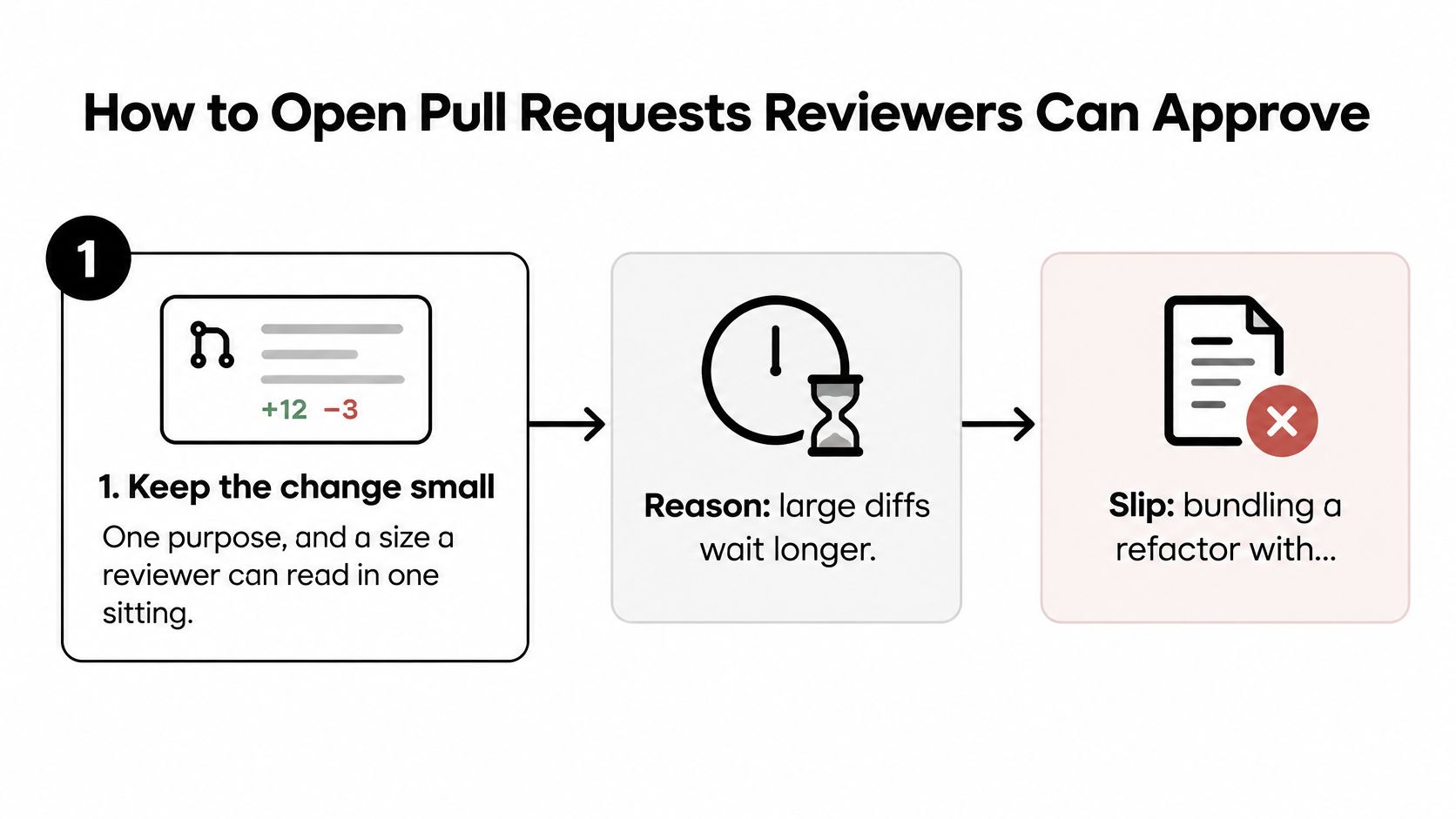
Keep the change small. Give it one purpose and a size a reviewer can read in one sitting. Large diffs demand longer review slots, so they're harder to schedule. Don't bundle a broad refactor with a narrow bug fix.
Write the description around intent, scope, risk, and test evidence. Explain why the change exists, what changed, what could break, and what you ran. Add rollback notes for data or settings changes. A title such as “fixes stuff” forces the reviewer to investigate before reviewing.
Open a draft while work is moving. Use it to collect CI results and implementation notes without making a premature review request. In our workflow, a card with a ready pull request and a draft pull request waits in Implementation until the draft is ready.
Link the design document, ticket, or card that defines success. Check that the reviewer can open it and that it points to the relevant version. An empty ticket or inaccessible document doesn't provide context.
Mark the proposal ready after automated checks pass. Don't send a reviewer a red build with a promise to fix it later. Include enough test evidence to distinguish a completed check from an intended one.
Assign one accountable reviewer, then add specialists for security, database, or infrastructure risk. An exploratory study of multi-reviewing found that increased multi-reviewing was associated with longer pull-request resolution latency. Extra names aren't a substitute for clear responsibility.
Use a shared code review checklist to make expectations visible before submission.
Aim for a reviewer to understand the change in five minutes without asking the author a basic question.
Automated Checks That Block Bad Changes
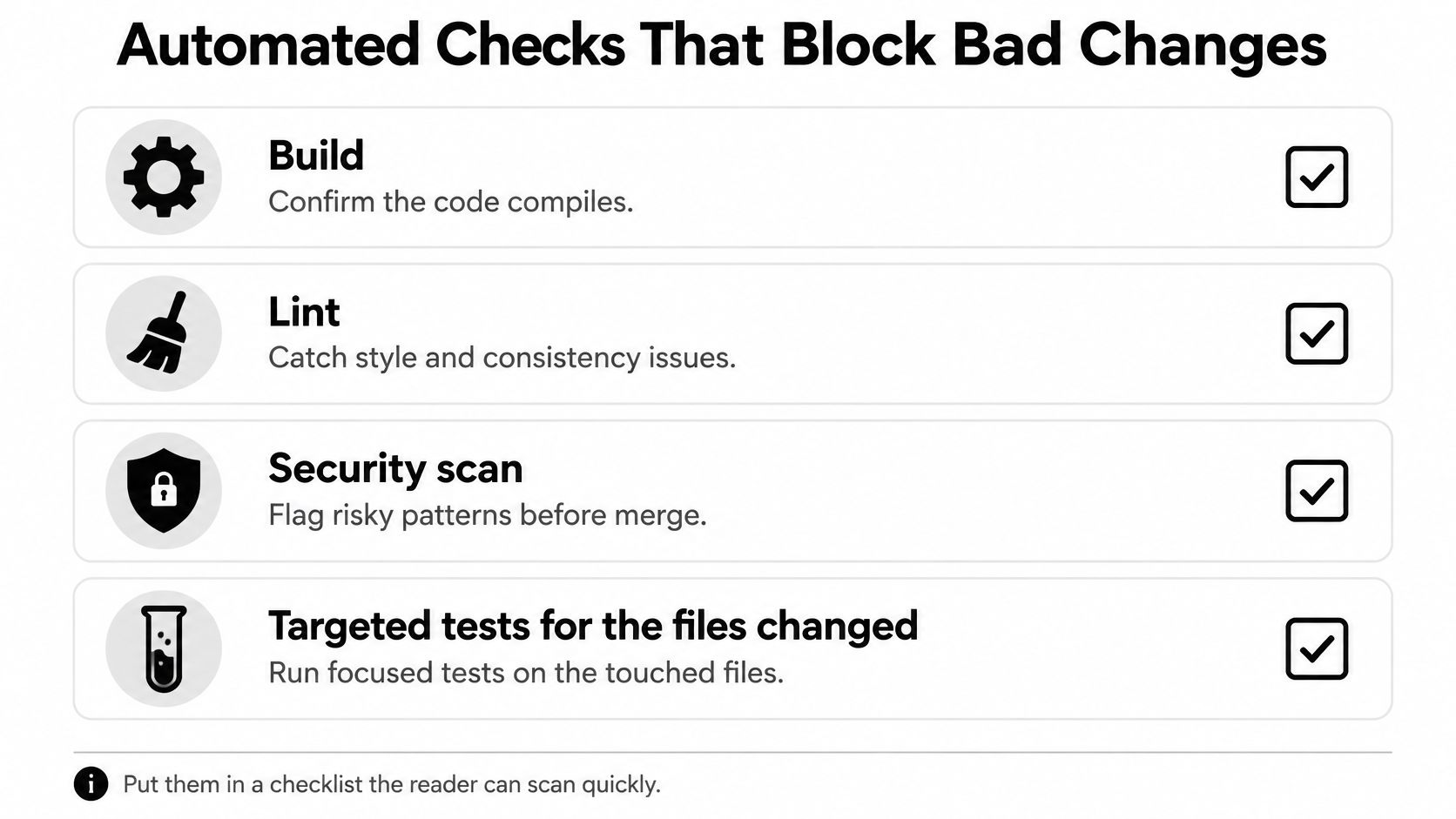
- Build: Confirm the code compiles and required artifacts can be produced.
- Lint: Catch style, formatting, and consistency issues.
- Security scan: Flag risky patterns and dependency findings that need action.
- Targeted tests: Run focused tests for the changed files and affected behavior.
The build should use the same committed inputs that reviewers will evaluate. A successful build on the author's laptop isn't evidence that the branch builds in CI.
Keep lint mechanical. Let tooling settle formatting so humans can focus on behavior, naming that changes meaning, and maintainability.
The security scan needs an owner for findings and a documented exception process. Don't make an unread report look like an enforced security decision.
Enforce rules without wasting review time
Run targeted tests on each push, then run the full suite before merge. Select tests by affected behavior as well as file paths, since a shared helper can affect code outside the changed directory.
Say a payment-page change fails a targeted test for rejected cards. CI keeps it out of the ready-for-review queue while the author fixes it. The reviewer doesn't spend a review slot confirming a known failure.
According to GitHub's merging documentation, draft pull requests can't merge, and repository rules can require approving reviews, successful status checks, and an up-to-date branch. Configure those conditions as hard gates rather than relying on someone to remember them.
Keep the required list short. I'd start with at most five check groups, review them every quarter, and remove or redesign checks nobody has acted on in months. Slow advisory checks can run separately unless their findings must block release.
Flaky tests need repair, not endless reruns. Record the failure, assign an owner, and restore a reliable gate; don't train authors to rerun until green.
A check nobody trusts is worse than no check.
Agent Reviews Before Human Eyes
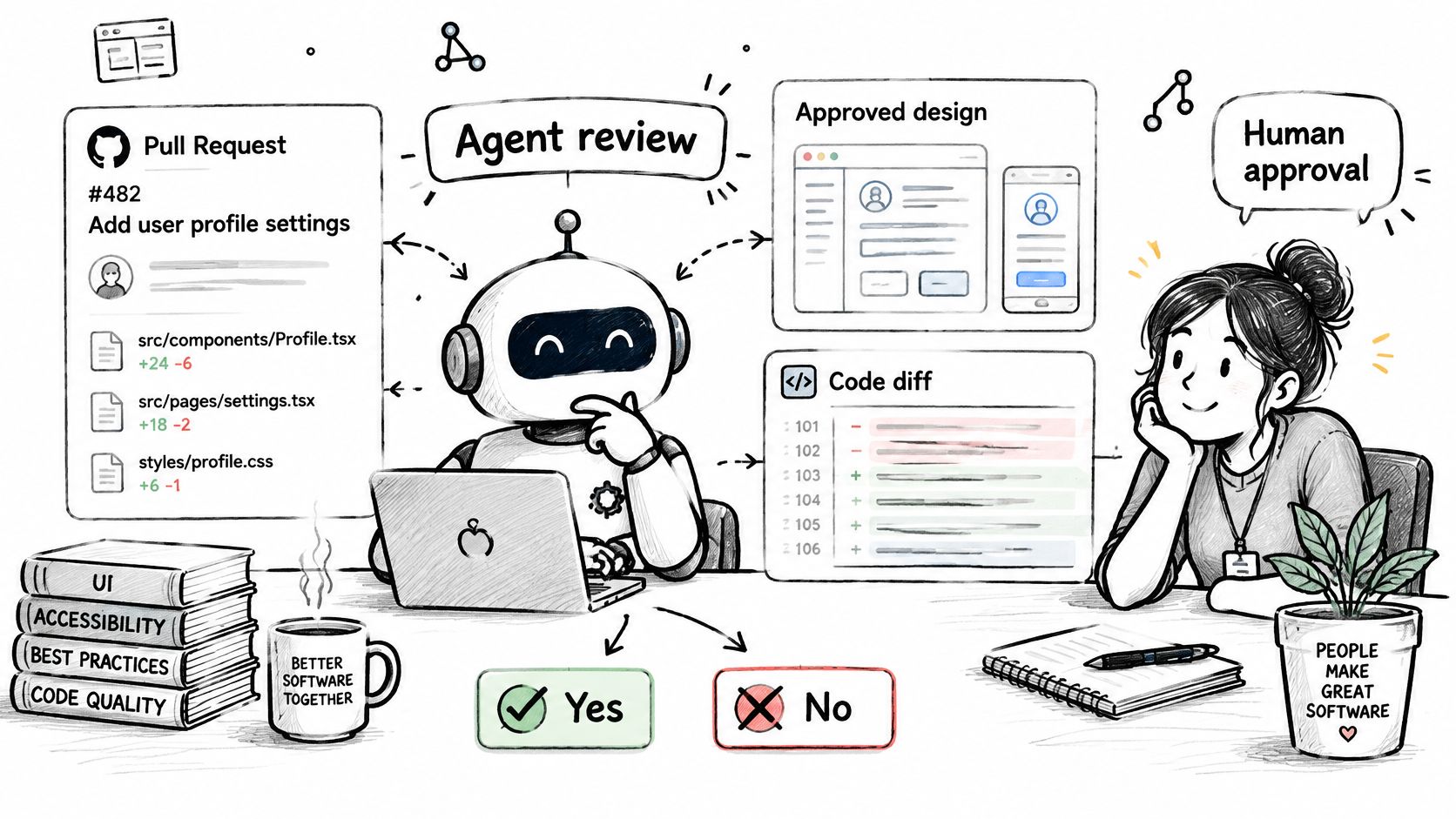
Say a settings page moves to a new route. The code passes tests, but the implementation omits the redirect required by the approved design. A design-aware agent review can flag that gap before a human opens the preview.
Configure the agent to compare each pull request with the approved design and acceptance criteria, not just the diff. Tests prove the cases they cover, not that the author chose the right requirements.
A Delft University of Technology study analyzed 3,347,937 pull requests across 11,230 GitHub projects using 95 features. Its broad scope supports treating review as a process with context, interactions, and revisions, rather than reducing it to a single code-quality signal.
Keep fix rounds traceable
A worker sees only what you push. Read the lifecycle file, correct its guesses, and commit it so the worker receives the actual gate commands and pull-request rules.
In our process, the implementation worker writes notes tagged build-notes. A fix round replies to review findings with evidence under a Review answers section, which the next agent review checks. Include the changed behavior and relevant test result, not just a claim that the issue is fixed.
A request for changes stays open until a fix run answers it. An unrelated push, such as a conflict fix, mustn't hide the outstanding review.
Choose AI code review tools by the context they can inspect and the evidence they produce. Keep findings tied to requirements, and let humans resolve ambiguous trade-offs.
What agents check and what humans decide
| Check | Agent review | Human reviewer |
|---|---|---|
| Matches the approved design | Checks every pull request against the design | Spot-checks trade-offs the design left open |
| Covers every requirement | Checks against acceptance criteria | Confirms edge cases the criteria miss |
| Security-sensitive behavior | Flags possible issues | Makes the final call |
| Test adequacy | Checks tests against the design | Judges whether tests prove the change works |
| Production risk | Flags risky changes | Decides on rollout timing and rollback plan |
Human Preview Gates and Approval Rules
Say a reviewer approves a checkout page. The author then fixes a typo, changes the button's width, and accidentally moves it below the fold. The earlier approval doesn't cover the page users would now receive.
When required reviews and stale-review dismissal are enabled, a code-modifying commit dismisses the existing approval, according to GitHub's approval rules. The changed version needs a fresh review. That's a useful safeguard, even when it adds another handoff.
Review the running change
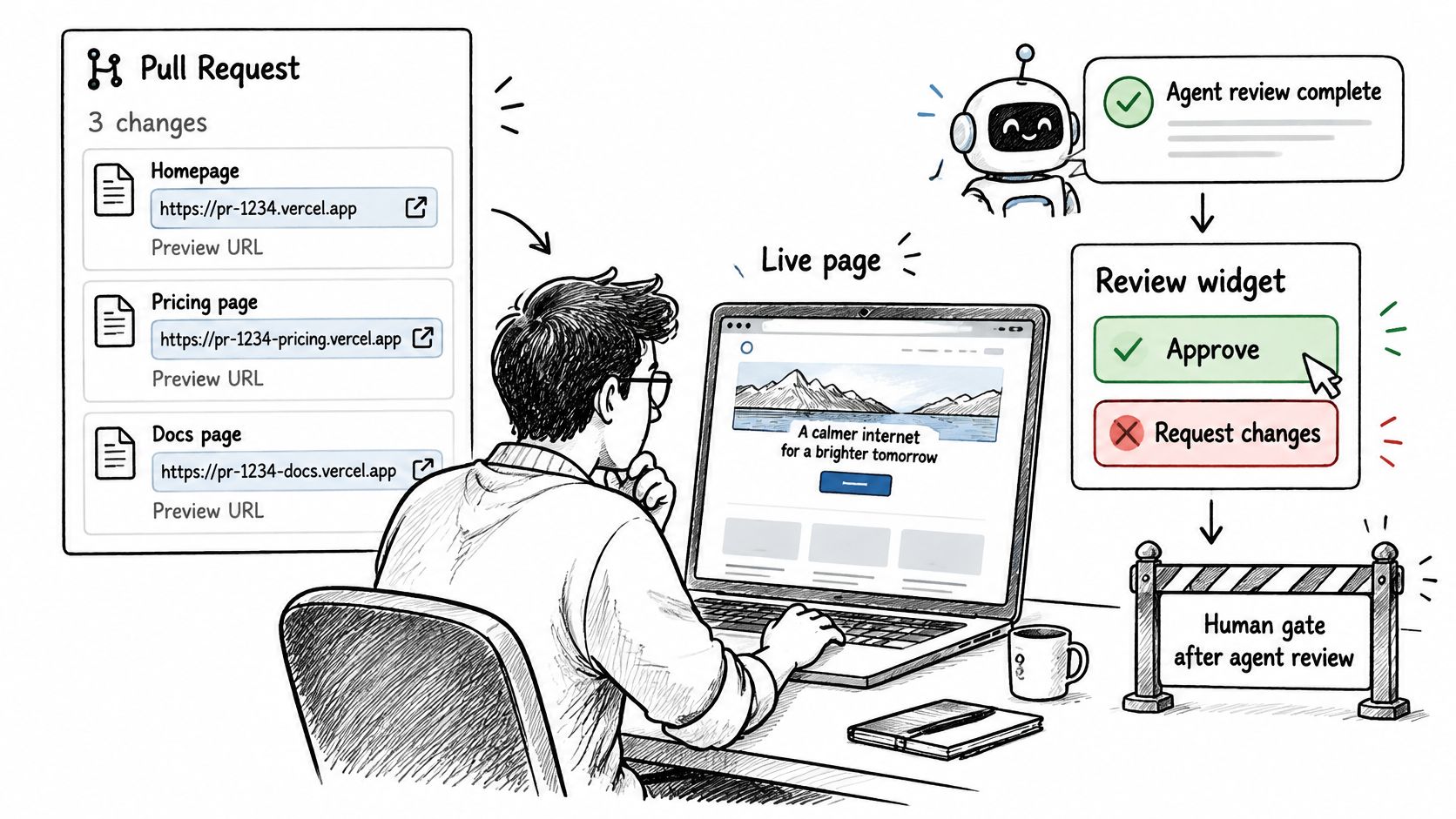
We recommend preview deployments with a URL for each pull request, so reviewers can inspect the change with the live review widget. Provide working test accounts and representative states so the reviewer can try success, failure, and empty-state behavior.
Put notes on the affected page element, or record a clear page reference in the ticket. Save the observation back to the card so the author knows what to fix and the reviewer can verify the answer.
Keep the preview tied to the current commit. If deployment is still running, show that state rather than letting a reviewer approve an older build by mistake.
Make the review outcome explicit
GitHub defines distinct pull-request review outcomes. Use them deliberately:
- Comment: Give feedback without approving or blocking the change. Mark optional suggestions clearly.
- Approve: State that the current version is ready to merge. This counts toward configured required reviews.
- Request changes: Identify work that must be addressed. With required-review rules enforcing it, this blocks merge until the review requirement is satisfied.
A blocking note should describe the expected behavior and the observed failure. “Save should preserve the selected timezone, but the preview resets it” gives the author a testable correction.
We also recommend a second GitHub account for agents to open pull requests, so you can approve them. Don't have an agent open the proposal through the same account you'll use as its human approver.
A useful human-in-the-loop agent workflow reserves human attention for decisions that need judgment. Use the preview gate for layout, copy, and interaction, not formatting nits a linter should catch.
Triage Reviews and Queue Merges on Busy Branches
| Review tier | Routing | Review policy |
|---|---|---|
| Urgent fixes | Available domain owner or qualified backup | Take the next review slot |
| Normal feature work | Accountable domain reviewer | Follow the normal review queue |
| Low-risk copy or docs | Qualified backup reviewer | Use a short, agreed response window |
Review priority and merge order are different decisions. Triage determines who looks next. The merge queue determines how approved changes are tested and integrated.
Name a backup for each domain. Route work according to risk and reviewer availability, rather than adding every possible reviewer and hoping someone responds.
For example, a reviewer has six approvals waiting. The lead moves two low-risk copy fixes to a backup but keeps the payment change with its domain owner. That clears simpler work without handing a sensitive decision to someone without the right context.
Capacity check: Before assigning another review, check what the reviewer already owes and whether a qualified backup can take it.
Queue integration after review
For busy protected branches, use a merge queue instead of asking authors to repeatedly update and merge by hand. GitHub's merge-queue documentation describes how the queue tests changes against the latest target branch and pull requests ahead of them, processes entries first in, first out, and removes entries that fail required checks or conflict with the base branch.
- Finish review and required checks. Don't treat the queue as a place to park unfinished work.
- Have an authorized user add the pull request once it meets branch-protection requirements.
- Investigate removals. Fix the failed check or conflict, then satisfy the required gates before rejoining.
The common slip is trying to queue a change before its checks are green. Keep the review backlog and integration queue separate so neither hides unfinished work.
Measure the Flow and Start With One Repository
Adding automation doesn't prove you've shortened delivery time. Measure where work waits, where people actively review, and whether the change ultimately merges.
In a study of 55 GitHub-based machine-learning repositories, merged pull requests had a median review latency of 1.05 days, compared with 6.16 days for rejected pull requests; GitHub Actions adoption alone didn't significantly reduce latency. Treat those as findings about that sample, not targets for your team.
Track the handoffs
- Opening to first review: Shows how long ready work waits for attention.
- First review to approval: Captures discussion and fix-round delay.
- Approval to merge: Reveals integration or ownership blockers.
- Review rounds and CI reruns: Expose repeated feedback and unreliable checks.
- Changed lines and files: Help distinguish narrow fixes from complex changes.
- Rejection or closure rate: Keeps outcome separate from speed.
Set explicit targets for first response and merge time. Separate time waiting for a reviewer from time spent actively reviewing, then inspect the slowest outliers by risk, size, and outcome.
Don't assume more reviewers mean better review. Ask whether each reviewer supplied a needed decision, and whether a blocked dependency or overloaded owner caused the delay.
Loupe's workflow rules decide when a card moves, which work it needs, and where it waits for a person. Those decisions should be visible enough that your team can explain a stalled card without searching through chat.
This week, pick one repository and copy the stage table into its wiki. Assign owners, run the workflow for two weeks, and compare the results with your response and merge targets before adding more gates.
Loupe coordinates coding agents across design, implementation, and review, with explicit human checkpoints. Visit Loupe to explore a board-based workflow that keeps approved intent, review findings, and waiting work together.