How to Secure AI Generated Code: A Practical Guide
Learn how to secure AI generated code with threat models, CI checks, secret handling and model choices. A simple, step-by-step guide for teams.
In this article
- Security Checkpoints for AI Generated Code at a Glance
- How to Set Up a Threat Model Before the Agent Writes Code
- Six steps before the first prompt
- Review, Scan and Test Every Pull Request
- Keep Secrets and Dependencies Out of Agent Reach
- Verify every new dependency before install
- Keep secrets out of prompts, logs and configs
- Choose a Model and Isolate Your Coding Agents
- Test models on your own tasks
- Limit what the agent can touch
- Track Security Results, Not Just Speed
- Confirm Your Security Gates Before the Next Agent Run
At least 62.07% of 331,000 C programs generated by nine large language models carried one or more security vulnerabilities in a 2024 evaluation, per the Empirical Software Engineering study. The prompts were neutral. Nobody jailbroke a model, nobody wrote a sloppy spec, and the generated programs still shipped holes.
That reframes the job. Generated code isn't a shortcut around your process. It's an untrusted contributor walking into it. The work is to prove each change matches the design you approved, then prove the code does nothing else.
Security Checkpoints for AI Generated Code at a Glance
Tests passing isn't proof of safety. A generated handler can pass every unit test and still let one customer read another customer's invoice, because no test ever asked it to refuse.
So you need a short chain of checkpoints, run in the order a change travels from design to release.
| Stage | Control | Catches | Sign-off |
|---|---|---|---|
| Design | Freeze the approved design and threat model | Scope creep and missing controls | Tech lead |
| Generation | Keep changes small and reviewable | Large diffs that hide flaws | Developer |
| Dependencies | Verify every package in a trusted registry | Hallucinated or malicious packages | Developer |
| Pull request scans | Static analysis (SAST), tests and secret scanning | Injection, weak cryptography and leaked keys | CI pipeline |
| Human review | Required for auth, data, crypto, infrastructure and agent tools | Broken access and logic errors | Code owner |
| Abuse testing | Adversarial tests against abuse cases | Flaws that pass functional tests | Security reviewer |
Order matters more than volume. The design freeze comes before the agent writes, because a model can't protect a decision nobody wrote down. Dependency checks come before install, because one invented package name is all an attacker needs. Scans run on the pull request. Human review runs on the paths where a mistake costs money or trust.
Practical rule: a green test suite proves the happy path works. Abuse testing proves the app refuses the wrong user.
Treat generated code like a pull request from an outside contributor. It may be tidy, well commented, and still wrong in ways that only appear under someone else's input. The OWASP secure coding with AI cheat sheet treats these as separate risks rather than one scanner category: insecure generated code, hallucinated dependencies, excessive agent privileges and secret disclosure each need a different control.
That's why the design row sits at the top. Secure AI-generated code isn't measured by vulnerability counts alone. A change can pass static analysis and dependency review while widening who can read a table.
Copy the table into your contribution guide and your agent instruction file. Then the person and the agent work to the same gates, and nobody argues about process in a review thread at 6pm.
How to Set Up a Threat Model Before the Agent Writes Code
A threat model you can't finish in an afternoon is a document nobody reads. The version that works fits on one page and gets reused for every task.
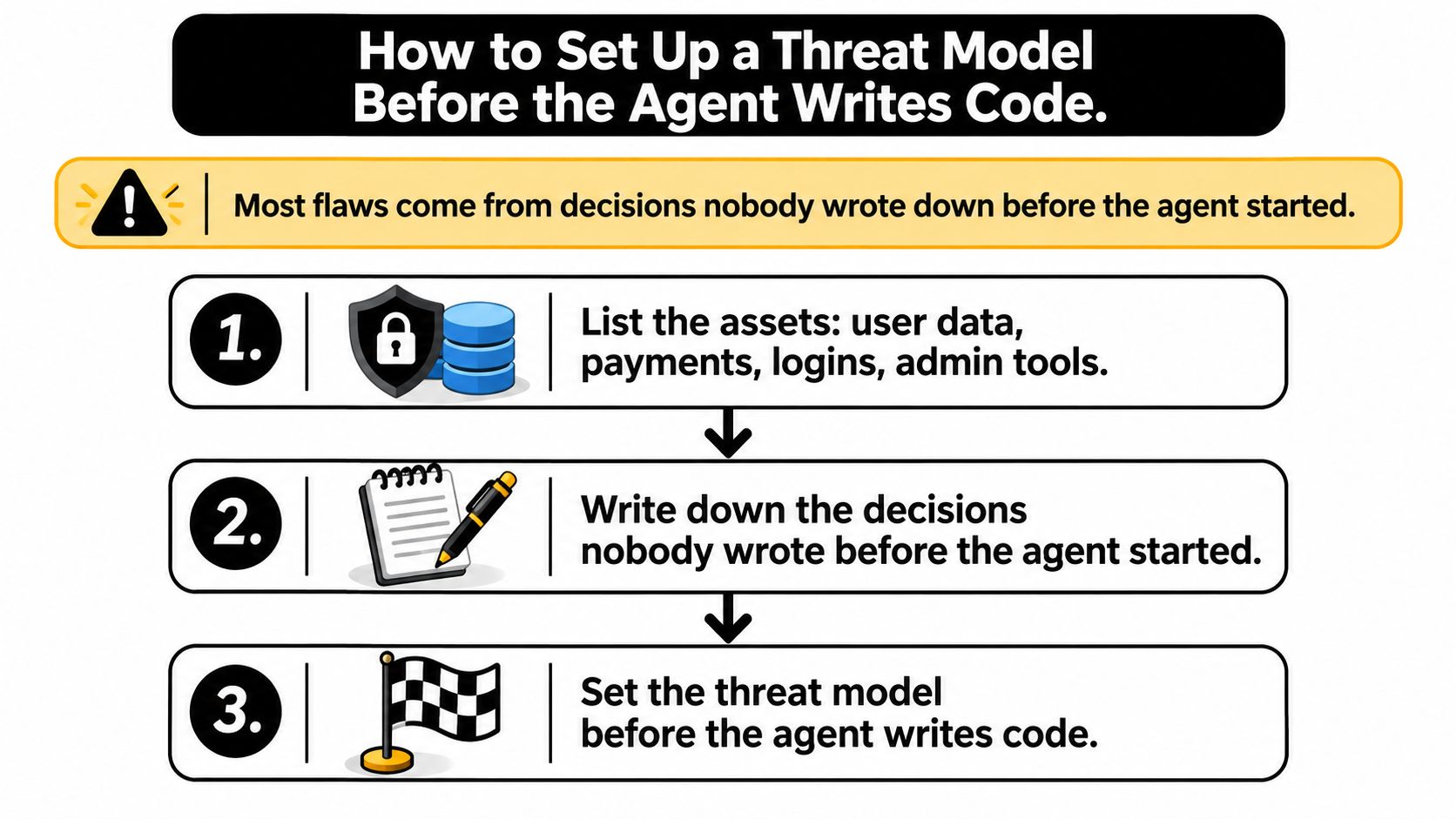
Most flaws in AI-generated code come from decisions nobody wrote down before the agent started. Which endpoints need auth. Which tenant owns which row. What the app does with an expired token rather than a forged one. The agent doesn't know, so it guesses, and its guess looks like finished code.
Six steps before the first prompt
- List the assets. User data, payments, logins, admin tools, and anything the agent is allowed to change. Name the tables and endpoints, not "the database". The common slip is a vague inventory that maps to nothing an engineer can check.
- Mark the sensitive paths. Authentication, permissions, cryptography, data storage, infrastructure and agent tool settings. The OWASP DevSecOps guideline recommends enhanced review through CODEOWNERS or an equivalent for exactly these paths. The slip here is marking the login form and forgetting the admin endpoints that ride the same session.
- Write three to five abuse cases. "A user changes the invoice ID in the URL and reads another customer's bill." "A deleted account's token still works." Each case becomes a test you can run later, which is the difference between a threat model and a wish list.
- Freeze the approved design and attach it to the task. The agent builds to a fixed spec, and the reviewer compares the diff to the spec instead of to personal taste. Leaving the design in a chat thread nobody finds later is how drift starts.
- Set agent permissions to read-only by default. Give it no production credentials and no personal admin token, just the access the task needs. The slip is handing over a token because creating a service account took ten more minutes.
- Run a readiness check. Agent connected, CI ready, and a separate account that pushes code. Our own readiness guide is a checklist of what a project needs before agents can work on it, including a connected agent, a ready bridge and the agent account that pushes code.
A one-page threat model you reuse beats a forty-page one nobody opens.
Attach the page to the card or the ticket, not to a wiki. The agent reads what's on the task. The reviewer reads what's on the task. Anything else is folklore.
Review, Scan and Test Every Pull Request
A separate evaluation ran GitHub Copilot against 89 programming scenarios and produced 1,692 programs. About 40% of them were vulnerable, and 477 programs (43.88%) contained a Common Weakness Enumeration issue, per the Copilot scenario evaluation. Those programs were generated on request, in ordinary scenarios, with no attacker involved.
Three words carry this section: review, scan, test.
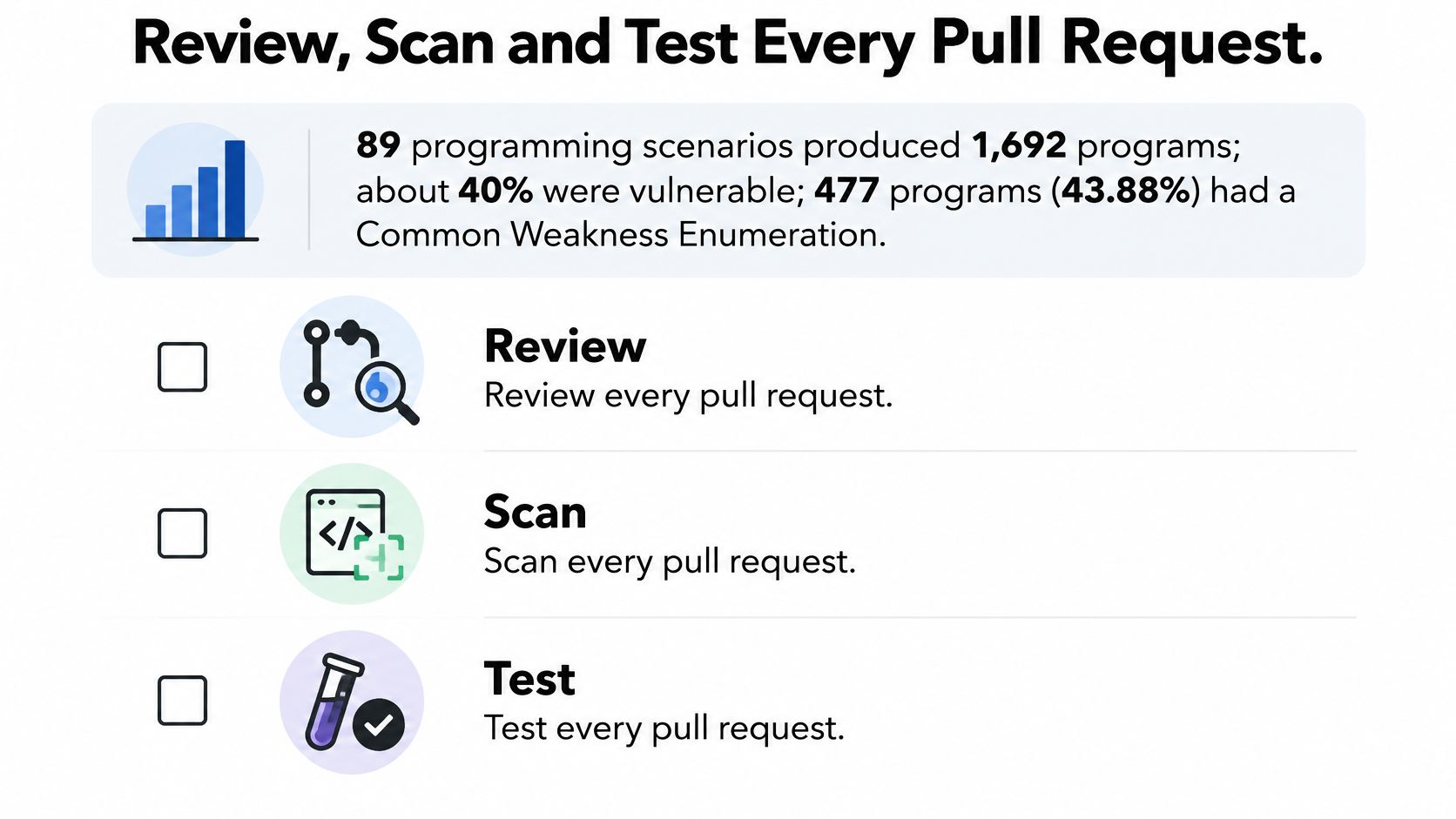
Automated checks aren't enough on their own, but they run first. Here's the order I'd hold to on every pull request.
- Block the merge on high-severity static analysis hits. Run SAST on the full change, not just the files the agent says it touched. Treat a new high-severity finding as a failed gate, not a comment.
- Add negative tests next to the unit tests. Send bad input, a missing token and another user's IDs, then confirm the app refuses each one. Functional tests tell you the feature works. Negative tests tell you it works only for the right person.
- Scan the full diff for secrets. A key pasted into a generated config file is live until someone rotates it. Catch it before merge and you skip the incident review.
- Require code owner review on sensitive paths. Auth, permissions, cryptography, data storage and infrastructure changes don't merge on a green build. Veracode's 2025 GenAI code security report found AI-generated code failed log-injection tests in 88% of relevant scenarios, which is exactly the failure a reviewer looking at auth logic tends to catch.
Risky agent commands should be blocked before they run, not reviewed after. A Claude Code hook in our own setup blocks git add -A, git add ., git commit -a, docker compose in a worktree, gh pr ready and gh pr merge --admin. Keep your block list in the repository's agent settings file so it gets reviewed like any other code.
Gate commands should come from the build files you already have. We guess them from a justfile, a Makefile, package.json, composer.json or go.mod and mark each guess as "detected, check it", so a person confirms the command before it decides a merge. That single habit stops most silent gate failures.
Merge rule: no gate, no merge. A manual override is a finding waiting for a Friday.
If you want the full sequence written down, our code review checklist follows the same order. When a gate fails, send the change back for a fix round and count it. Never wave it through.
Keep Secrets and Dependencies Out of Agent Reach
An agent that writes reqeusts instead of requests isn't lying. It's guessing from patterns, and the guess looks like every other line in the file. If a package name doesn't exist on the registry, an attacker can register it with malicious code and wait for your install.
Adoption ran ahead of evidence. In a GitHub-commissioned survey of 2,000 non-manager developers at organizations with more than 1,000 employees, 99% of U.S. respondents had used AI coding tools at work in 2024, and 99% expected those tools to improve security. Expectation isn't measurement. Treat the package and the credential as untrusted input too.
Verify every new dependency before install
- Confirm the package exists on the official registry. Not a blog post, not a model's memory, not a forum answer.
- Check the publisher, release history and download counts. A package published last week with one release and no repository behind it is a red flag, not a time-saver.
- Lock versions and read every lockfile change in the diff. A new transitive dependency is still a new dependency with a new owner.
- Block install until a person confirms it. One click per package is cheaper than one incident review.
Keep secrets out of prompts, logs and configs
Never paste keys into a prompt, a chat log or a config file, and never let the agent read the full .env file to "understand the setup". Store secrets in a vault or the CI secret store, and give the agent a scoped token for one task.
- Rotate what the session touched. Any token an agent session could read gets rotated when the session ends, not next quarter.
- Treat tokens as passwords. A token that acts with your authority is a password. That includes MCP and live-review tokens.
- Scan the latest commit before you push. Secret scanning on the diff catches the key you forgot was in an example file.
- Prefer browser sign-in over static keys. We issue no static API token, so every connection starts with a sign-in in a browser. That removes one string worth stealing.
Short-lived, scoped credentials beat a shared admin token every time. The rule I'd keep is simple: if a token can touch production, the agent doesn't hold it.
Choose a Model and Isolate Your Coding Agents
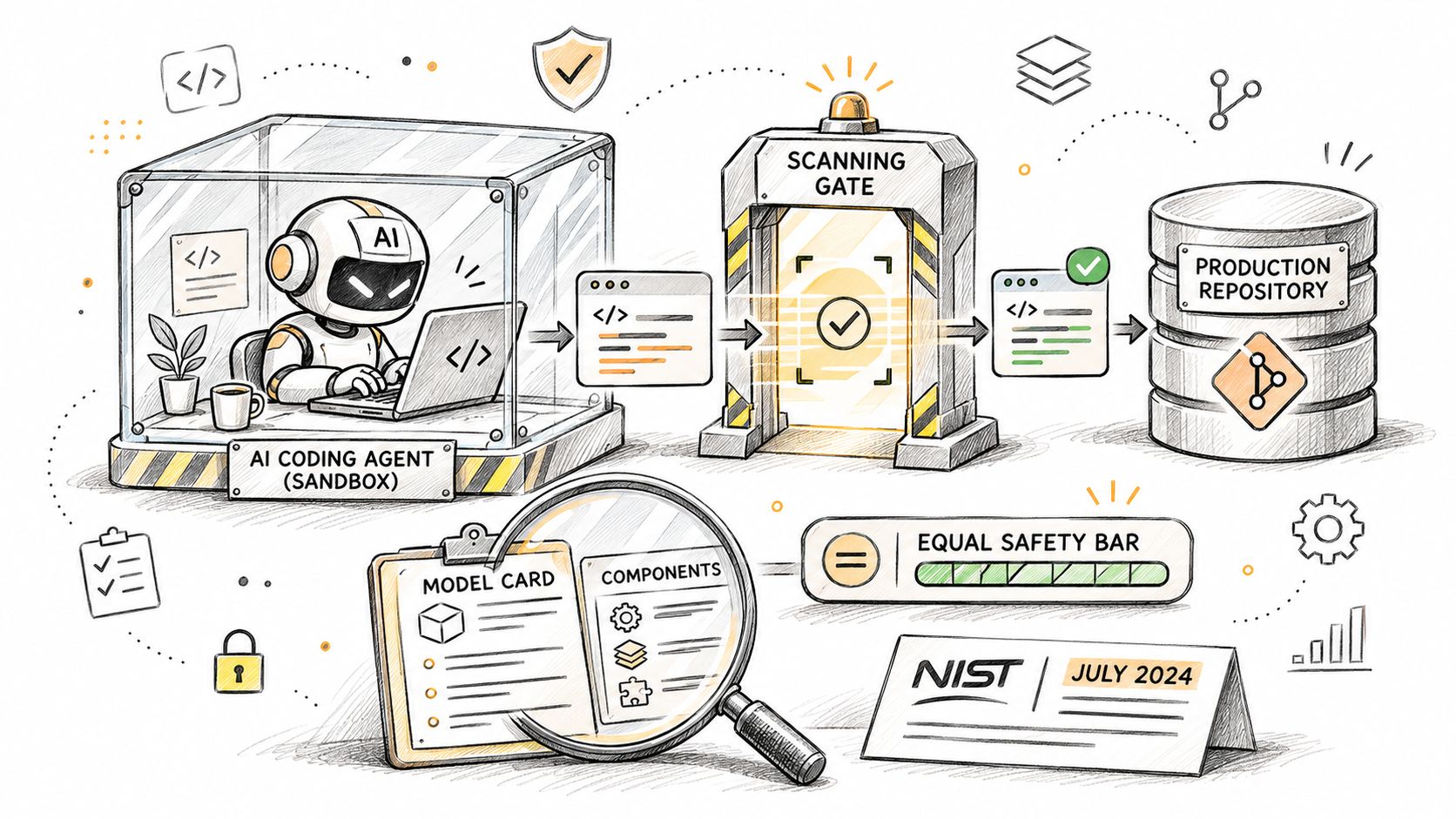
NIST's July 2024 guidance on generative-AI software development is blunt about one thing. Don't use a different safety threshold because a machine wrote the code. All source code gets evaluated for vulnerabilities before use, and acquired models and their components get scanned and tested for malicious content before deployment, according to NIST's generative-AI guidance.
Every gate in this guide sits between the agent and the merge, including model choice.
Test models on your own tasks
Pick about ten representative tasks, including one auth change and one data-access change. Run each candidate with the same prompts, tools, permissions and review gates. Count findings per change, package hallucinations and review rounds, then compare. Repeat the test when a model version changes, because last quarter's result doesn't carry over.
Language shifts the result too. Veracode's 2025 GenAI code security report found Java had the highest security-failure rate among the languages it evaluated, at 72% of generation tasks. That's a reason to test your own stack rather than trust a general reputation.
Package hallucination is the number worth comparing across model types. A USENIX analysis of 16 coding models found hallucinations in all of them, averaging 19.6%, with roughly 5% for commercial models against 21% for open-source ones.
| Model type | Package hallucination rate | What it means for you |
|---|---|---|
| Commercial models | About 5% | Lower risk, but review the vendor's data terms |
| Open-source models | About 21% | Stricter package checks are needed |
| All 16 models tested | Average 19.6% | Benchmark your own stack before choosing |
| Self-hosted models | No published rate | Measure on your own tasks before use |
Limit what the agent can touch
- Give each agent its own branch or worktree. Parallel agents on one working copy produce diffs nobody can review.
- Allow only the tools the task needs. A docs task doesn't need deploy rights.
- Pin and allowlist every integration. When our CLI writes
.mcp.json, the file holds no credential, and Claude Code asks you to approve the server the first time. - Use scoped, short-lived credentials. Never a shared admin token across agents.
For self-hosting, a common layout runs a web app, a worker and a Postgres database in Docker Compose. Keep that stack on its own host, update images on a schedule, and follow advisories for every component. Our production image runs PHP 8.5.12, which fixes the remote code execution flaws CVE-2026-109618 and CVE-2026-109619, and that's the kind of detail a monthly patch routine catches.
Keep the isolation honest. Self-hosted agents belong on a machine that can't reach production secrets or production databases. Our AI agent governance framework covers the checkpoint side if you want a starting structure.
Track Security Results, Not Just Speed
Confidence is cheap to measure and easy to misread. A survey tells you what developers expect. It doesn't tell you whether the code that shipped was safer.
Tracing is what makes measurement possible. Log the prompt, the approved design, the diff, the agent actions, the reviewer decision and the deployment. Any finding then has a cause and an owner instead of a shrug.
The Linux Foundation's State of AI Impact on Software Security and Cybersecurity 2026 report captures the mixed picture. Practitioners credited AI-assisted tools with finding about 30% of the vulnerabilities they identified in the prior year, while 72% said growth in AI tool use was a leading factor changing software-security risk. Detection went up, and so did the volume of code needing verification.
Start here: watch escaped vulnerabilities. It's the only metric that measures what actually reached production.
| Metric | What it shows | Trend to watch |
|---|---|---|
| Findings per pull request | Static analysis hits in each AI-generated change | Falling over time |
| Escaped vulnerabilities | Flaws found after merge | Falling over time |
| Security review coverage | Share of AI changes that got security review | 100% for sensitive paths |
| Dependency check failures | Packages blocked before install | Steady or falling |
| Remediation rounds | Fix cycles before a change passes | Falling over time |
| Time to fix | Days from finding to fix | Falling over time |
Review the table every two weeks and compare models on the same tasks. Act first on any upward trend in escaped vulnerabilities, then on dependency check failures. Speed and test-pass rate don't belong on this list, because many flaws only appear under abuse testing.
Our own code is a working example of the policy rather than a claim: some of the code that runs Loupe was written with AI coding tools, all of it is reviewed by a human before it ships, and all of it is public. If you want deeper numbers, our guide to AI agent observability covers what to instrument.
Confirm Your Security Gates Before the Next Agent Run
You don't need a platform to start. You need one week and five steps.
- Write one threat model. Pick a single repository, name its assets and mark its sensitive paths.
- Turn on the gates in CI. Static analysis, negative tests and code owner review on the sensitive paths.
- Block installs until a package is confirmed. The override needs a person's name on it.
- Run two models on the same ten tasks. Compare findings per change, not cost per token.
- Log findings per change for four weeks. Then compare and keep the better setup.
A workflow tool can enforce that order for you so the gates don't depend on memory. Loupe is a software factory for coding agents that runs on your terms, with your agents, your machine and your rules. It pauses at human checkpoints, and it can be self-hosted with Docker Compose.
Any tool works, as long as the gates run. Start with the gate list above, and protect the first sensitive path this week.
Loupe runs coding agents on your own machine under your rules, pauses at the checkpoints you define, and reviews every pull request against the approved design before a human sees it. If you'd rather enforce the gates in this guide through the workflow than through memory, see how it works at Loupe.